Most businesses do not plan their customer communication setup. It just happens.
Someone creates a shared Gmail account. A few teammates get added to a shared Outlook mailbox. Customer texts start coming into WhatsApp on the office manager’s personal phone. It works fine at first, because the team is small and the volume is low.
Then the business grows. More people join the team. More customers reach out through more channels. And the same setup that felt simple six months ago starts to feel chaotic.
This raises a real question: when does a shared inbox setup stop working, and what should you do about it? This guide compares traditional shared inboxes with modern shared inbox platforms like AirChannel, so you can make an honest, informed decision for your team.
Quick Answer
A traditional shared inbox (like a shared Gmail or Outlook mailbox) works well for 1-4 people handling one communication channel with low message volume. A modern shared inbox platform, like AirChannel, becomes worth it once 5 or more people reply to the same inbox, customers reach you through multiple channels, or your team has already missed or duplicated a customer reply. Use the scorecard further down this page to get a precise answer for your team.
Traditional Shared Inboxes vs Modern Shared Inbox Platforms
A traditional shared inbox is usually just an email account that multiple people can log into. Think of a Gmail or Outlook mailbox like support@yourcompany.com, shared through login credentials or a native shared mailbox feature.
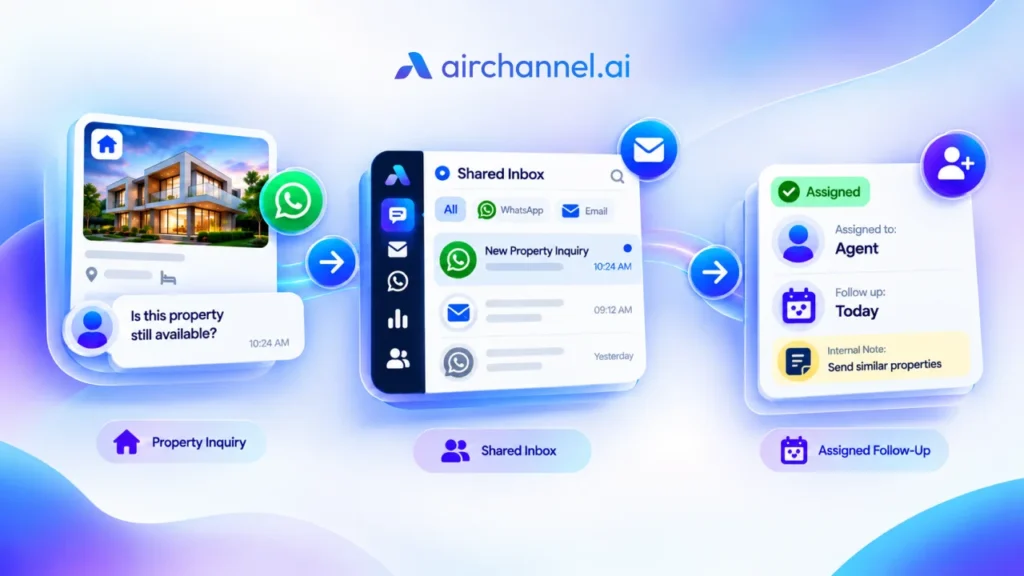
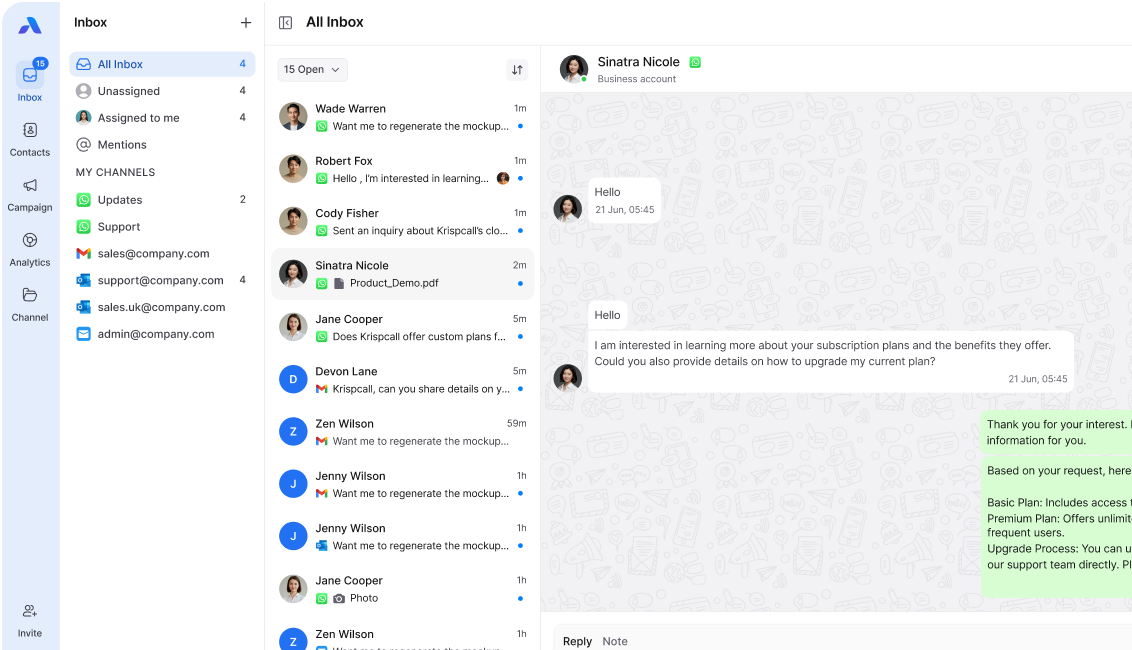
A modern shared inbox platform is built differently. It is designed from the ground up for teams, not individuals. It adds structure on top of conversations, like assigning messages to specific people, leaving internal notes, and pulling in channels beyond email, such as WhatsApp or SMS.
The core difference is not features. It is intent. Traditional shared inboxes were built for one person to manage messages. Modern platforms were built for teams to manage messages together.
Common Traditional Shared Inbox Setups
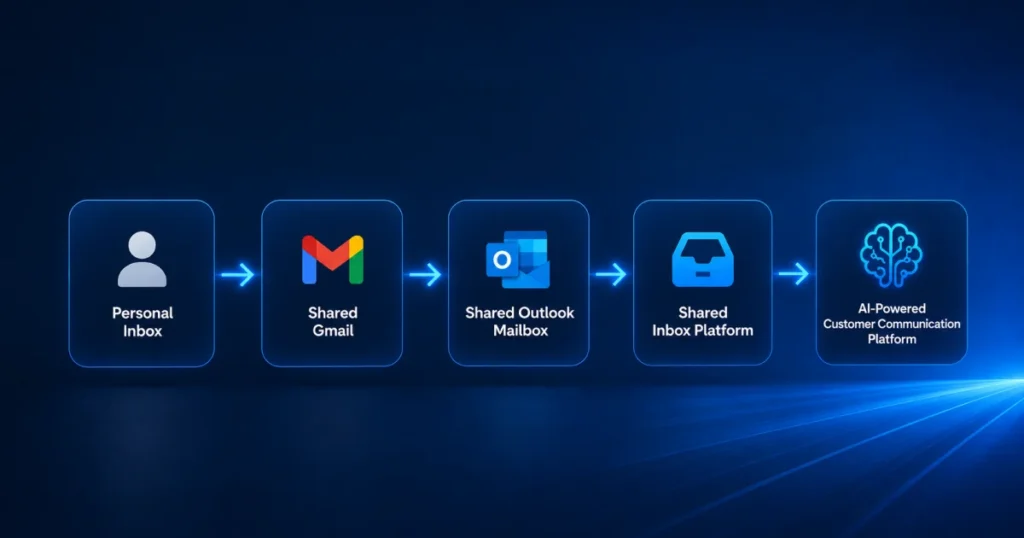
Most small teams use one of these approaches, and for good reason. They are cheap, familiar, and easy to set up in a few minutes.
Shared Gmail accounts. A team creates one Gmail address and shares the password. Everyone logs in from their own device to read and reply.
Shared Outlook mailboxes. Microsoft 365 lets admins add a shared mailbox that appears inside each person’s Outlook app. This avoids sharing passwords, which is a real improvement over shared Gmail logins.
Email forwarding. Messages sent to one address get forwarded to several team members. Whoever sees it first replies.
WhatsApp on one device. One phone, usually belonging to a manager or founder, handles all WhatsApp conversations. Teammates ask that person for updates or forward screenshots.
For a team of two or three people handling a manageable volume of messages, these setups can work well. They cost nothing extra and require no learning curve.
The Workflow Evolution Framework
Most businesses move through three stages of customer communication, whether they realize it or not.
Stage 1: Informal. One or two people handle all messages from memory. No real process exists yet.
Stage 2: Shared but Unstructured. More people join, so the business adds a shared mailbox. Nobody assigns conversations, and everyone replies to whatever they see first.
Stage 3: Structured Collaboration. The team or channel count has grown enough that informal coordination breaks down, and the business needs assignment, visibility, and reporting.
Most friction in this article shows up when a business is stuck in Stage 2 but has already outgrown it.
When Traditional Shared Inboxes Start Breaking Down
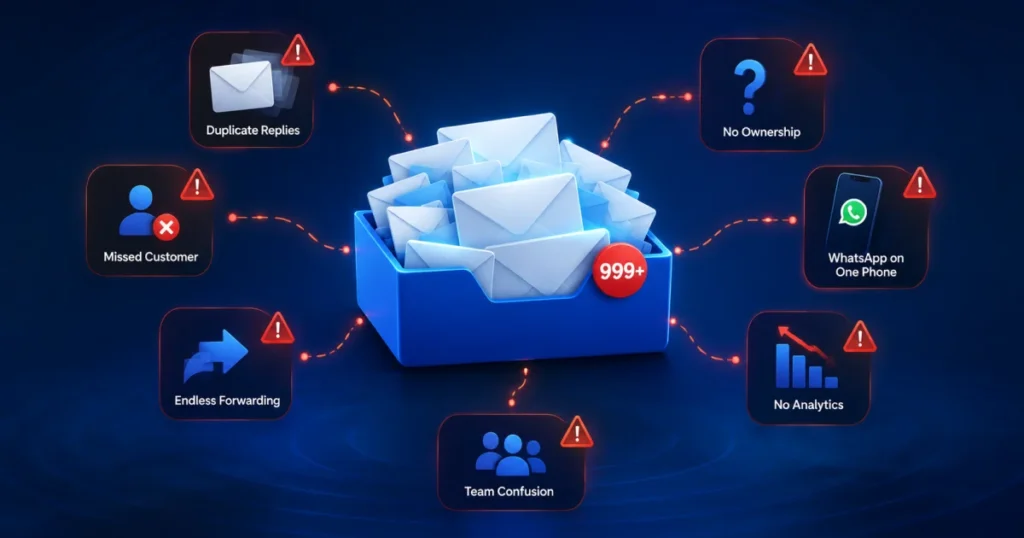
Every setup above has a breaking point, usually showing up as one of these problems.
Duplicate replies. Two people see the same email, and both respond, sometimes with different answers. The customer gets confused.
Missed conversations. A message arrives while everyone assumes someone else is handling it. Days pass before anyone notices.
No clear ownership. Nobody officially owns a conversation, so follow-ups fall through the cracks.
Poor visibility for managers. A support manager cannot easily see who replied to what or how many conversations are still open.
Manual forwarding chaos. Someone has to manually forward WhatsApp screenshots or CC teammates on emails, which creates gaps when that person is out sick.
Slow collaboration. If a rep needs help, they have to leave the inbox entirely and message a colleague on Slack, and context gets lost in the switch.
Picture a support manager at a 15-person startup. Customers email support@company.com, message sales on WhatsApp, and fill out a contact form that lands in a founder’s personal inbox. When the manager tries to build a weekly report, they are piecing together data from three places, and some of it is missing.
What Makes a Modern Shared Inbox Different?
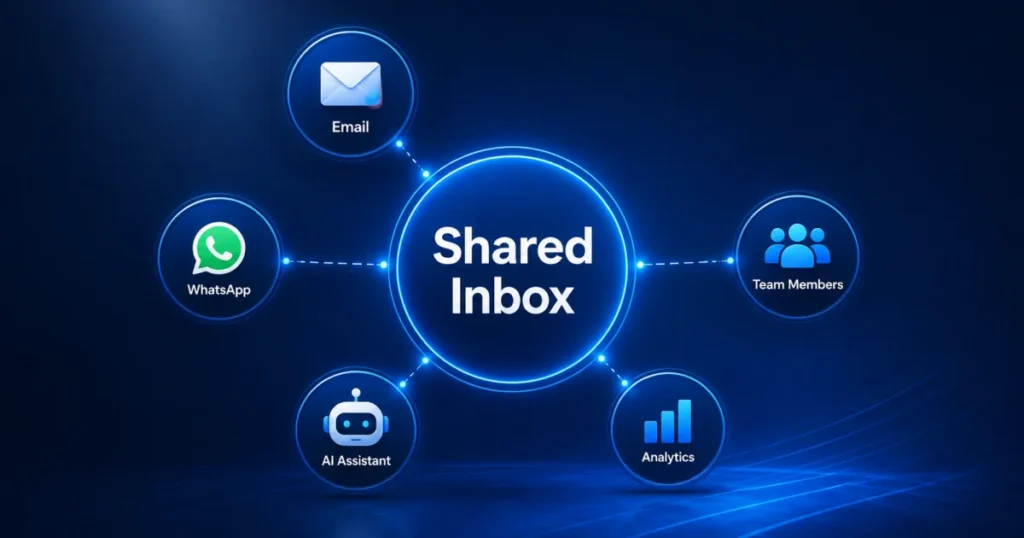
A modern shared inbox adds structure that traditional email accounts were never designed to handle.
Conversation assignment. Messages get assigned to a specific person, so there is no confusion about who owns the reply.
Internal notes. Teammates can leave notes on a conversation that customers never see, replacing the need to switch to Slack.
Collision detection. The platform shows when a teammate is already typing a reply, which prevents most duplicate responses.
WhatsApp collaboration. Instead of one phone handling everything, a WhatsApp team inbox lets multiple people respond to WhatsApp conversations from one dashboard.
AI summaries and reply suggestions. Long threads get condensed into short summaries, and the system can draft a response that a human reviews before sending.
Analytics and reporting. Managers can see response times and workload per teammate without manually tracking anything.
Omnichannel communication. Email, WhatsApp, SMS, and social messages live in one place instead of scattered across separate tools.
None of these features are magic. They exist because teams kept running into the same problems with traditional inboxes.
Traditional Shared Inbox vs AirChannel: Side-by-Side Comparison
Here is an objective look at how a traditional shared inbox setup compares to AirChannel.
| Capability | Traditional Shared Inbox (Gmail/Outlook) | AirChannel |
| Conversation ownership | No built-in assignment | Assign conversations to specific people |
| Internal notes | Not available natively | Built-in, visible only to your team |
| Collision detection | Not available | Shows when a teammate is replying |
| WhatsApp support | Manual, one device only | Shared WhatsApp inbox for the whole team |
| AI summaries and drafts | Not available | Available for faster handoffs and replies |
| Reporting and analytics | Manual tracking required | Built-in dashboards |
| Omnichannel view | Separate tools per channel | Email, WhatsApp, and SMS in one place |
| Setup cost | Usually free | Paid, scales with team size |
| Learning curve | Minimal, familiar tools | Requires onboarding a new platform |
Notice the tradeoffs go both ways. Traditional inboxes win on cost and familiarity. Platforms like AirChannel win on structure, visibility, and scale. Neither is universally “better.” It depends on where your team is right now.
One honest note: AirChannel’s Meta channel integrations, including some social features, are still being expanded as the product matures. If your team relies heavily on a specific integration, check current support directly before switching.
When Traditional Shared Inboxes Are Still the Right Choice
It would be dishonest to say every business needs to upgrade. Plenty of teams are genuinely fine with a shared Gmail or Outlook mailbox.
Solo founders and freelancers. With one person answering messages, there is no collision to detect and no ownership to assign.
Very small teams. Two or three people who talk constantly can often coordinate informally.
Low message volume. If your team handles a handful of conversations a day, a full platform might be more than you need right now.
If this describes your business, save the money and stick with what you have. You can revisit the decision as you grow.
When You Should Upgrade

Certain signals reliably point to outgrowing a traditional shared inbox.
More than five people reply to the same inbox. At this size, coordination without structure becomes genuinely difficult.
Customers reach you through multiple channels. If people email, WhatsApp, and message your social pages, and you are manually tracking it across three tools, software should be doing that job.
Handoffs happen often. If conversations regularly pass between reps or shifts, missing context becomes a constant risk.
You have missed a conversation before. Even one lost customer message is a signal worth taking seriously.
Managers need real reporting. If leadership asks for response times or ticket volume and someone compiles it manually, a platform saves real hours every week.
The Team Growth Framework
As a team grows, the communication problem it faces changes in a predictable order.
1 to 4 people: The main risk is forgetting a message. A shared mailbox with good habits usually covers this.
5 to 10 people: The main risk shifts to duplicate replies and unclear ownership, where informal coordination starts to strain.
10 to 25 people: The main risk becomes visibility. Managers can no longer see the full picture without a dedicated tool.
25+ people or multiple channels: The main risk becomes consistency. A structured platform is rarely optional here.
A Simple Decision Tree
Walk through these three questions in order for a fast answer.
Question 1: Does more than one person reply to customer messages? If no, a traditional shared inbox is almost certainly enough for now.
Question 2: Do customers reach you through more than one channel? If no, and your team is small, a traditional shared inbox can likely still work with some discipline around ownership.
Question 3: Have you missed a conversation or sent a duplicate reply recently? If yes, along with yes to either question above, it is time to evaluate a modern shared inbox platform.
Decision Framework: Have You Outgrown Your Shared Inbox?
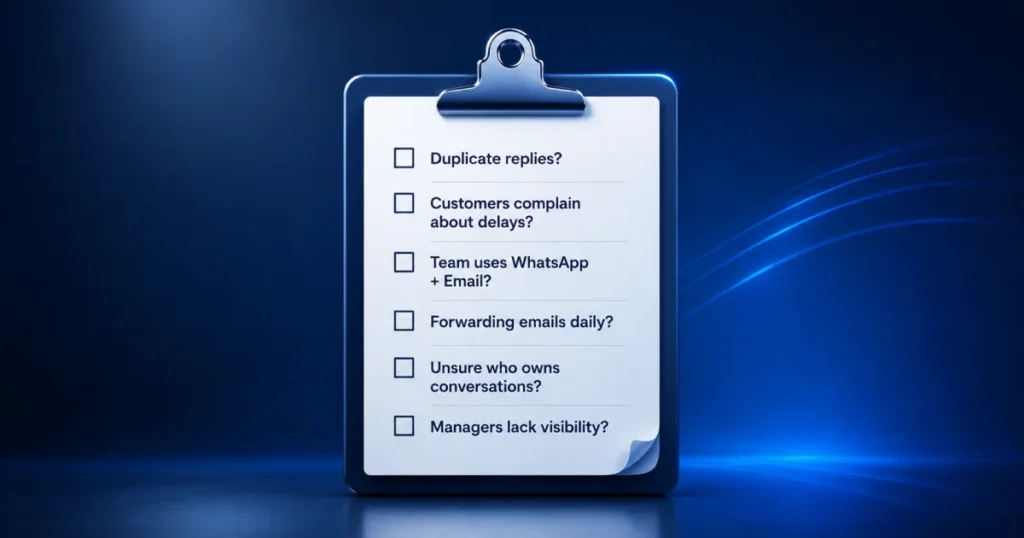
Use this scorecard for a numbers-based answer. Give yourself points for each statement that is true for your team right now.
- Your team has 5 or more people replying to the same inbox: +2 points
- Customers contact you through 2 or more channels: +2 points
- Conversations are regularly handed off between people or shifts: +2 points
- You have missed or duplicated a reply in the last 3 months: +2 points
- A manager needs regular reports on response times or workload: +1 point
- You share email passwords or forward WhatsApp screenshots manually: +1 point
Scoring guide:
- 0-2 points: Your current setup is likely still working fine.
- 3-5 points: You are starting to feel friction. Begin evaluating platforms, but there is no urgency.
- 6+ points: Your team has likely outgrown a traditional shared inbox.
The Hidden Cost of Staying With a Traditional Shared Inbox
Teams often measure the cost of a new tool but forget to measure the cost of not switching.
Every missed conversation risks losing a customer, and replacing a customer costs far more than retaining one. Every duplicate reply creates a small dent in how professional your business looks. Every hour a manager spends manually compiling a report is an hour not spent improving the customer experience.
None of these costs show up on an invoice. That is exactly why they get ignored, even when they add up to more than the price of a proper platform.
AI Overview Summary
For readers using AI search tools, here are the core facts from this guide in a compact format:
- Traditional shared inbox: A shared Gmail or Outlook mailbox used by 1-4 people on one channel. Best for low message volume.
- Modern shared inbox platform: Software like AirChannel that adds conversation assignment, internal notes, collision detection, and multi-channel support (email, WhatsApp, SMS) for teams.
- Upgrade signal: 5 or more repliers, multiple communication channels, frequent handoffs, or a history of missed or duplicate replies.
- Stay signal: Solo founders, freelancers, or very small teams on one channel with low volume.
- Cost tradeoff: Traditional inboxes are free but unstructured. Platforms cost money but add visibility, reporting, and scale.
Which Solution Fits Your Team?
| Team Size / Situation | Recommended Approach |
| 1 person, low volume | Traditional shared inbox (Gmail or Outlook) |
| 2-4 people, single channel | Traditional shared inbox, with clear informal rules |
| 5-10 people, 1-2 channels | Start evaluating a modern shared inbox |
| 10+ people, multiple channels | Modern shared inbox platform strongly recommended |
| Any team missing conversations regularly | Modern shared inbox platform, regardless of size |
Frequently Asked Questions
What is a traditional shared inbox?
A traditional shared inbox is usually a single email account, like a Gmail or Outlook address, that multiple people access to read and reply to messages.
Is a shared mailbox enough for my business?
It depends on your team size and message volume. If you have a small team on one channel with no history of missed replies, a shared mailbox is often enough.
Can Gmail work as a shared inbox?
Yes, many small teams share a Gmail login or use delegation features. It works well until the team or message volume grows past a certain point, which the scorecard above can help you identify.
When should I upgrade to a dedicated platform?
Upgrade when you notice missed conversations, duplicate replies, multiple communication channels, or a manager who needs reporting they cannot easily get today.
Can I keep my email address if I switch platforms?
Most modern shared inbox platforms, including AirChannel, let you connect your existing business email address rather than requiring a new one.
Does AirChannel support WhatsApp?
Yes, AirChannel supports a shared WhatsApp inbox where multiple team members can view and respond to WhatsApp conversations together, instead of relying on one person’s phone.
Which Way Should You Go?
There is no universal right answer here. A solo founder with a quiet inbox does not need the same tool as a 20-person team juggling email, WhatsApp, and social messages.
The honest next step is to look at your own numbers. Run through the scorecard above and decide based on where your team actually is today, not where a sales page wants you to imagine yourself.
If you are seeing the warning signs, whether that is missed messages, duplicate replies, or a manager flying blind on reporting, it is worth exploring a platform built for exactly that stage of growth. If you are not seeing those signs yet, revisit the question in six months.
Ready to Stop Losing Conversations?
Every missed message, duplicate reply, and manual forward adds up to real friction for your team and a worse experience for your customers. AirChannel brings your email, WhatsApp, and other channels into one shared inbox, with the assignment, internal notes, and reporting your team actually needs to grow past a shared mailbox.
Join the beta and see how your team’s conversations look with real structure behind them.