Every day, your team loses money without knowing it. They switch between Slack, WhatsApp, email, and five other apps just to do their jobs. Each switch breaks focus. Each missed message delays a deal. Each duplicate reply frustrates a customer. This silent revenue killer is called tool chaos – and it is costing businesses thousands of hours every year.
The fix is not another app. The fix is centralized communication.
This guide shows you exactly what a unified inbox is, why your current setup is failing you, and how to move your team to a smarter system in 2026.
What Is a Unified Inbox?
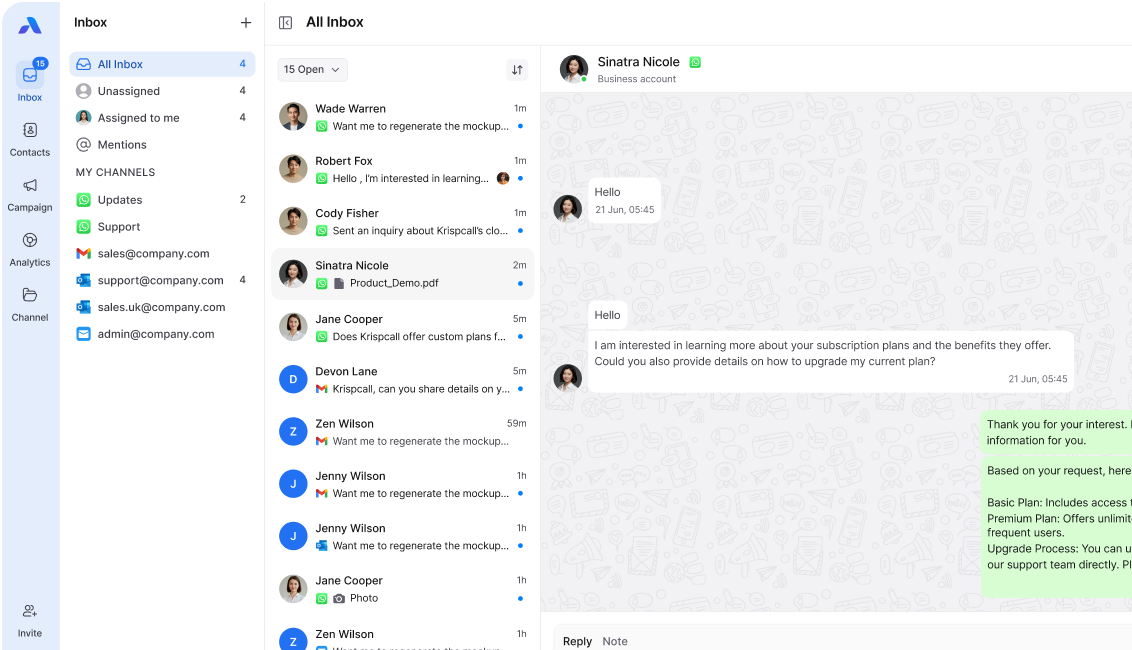
A unified inbox is a single platform where all your messages arrive in one place. Instead of checking email, WhatsApp, and social media separately, you see every message on one screen. Your team reads, replies, and assigns conversations without ever switching apps. It gives your entire business a single pane of glass for communication.
The 2-Minute Communication Friction Audit
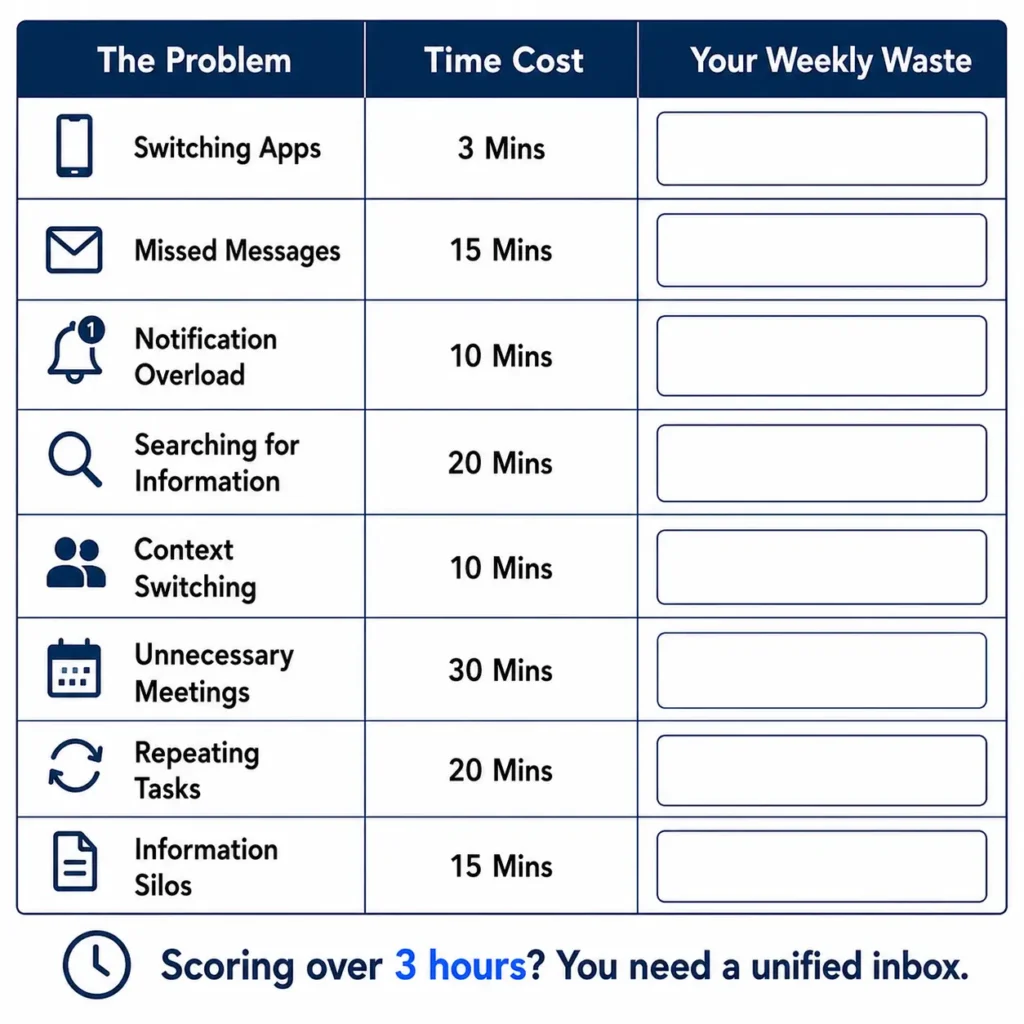
Before you fix the problem, you need to see it clearly. Answer these five questions. Be honest. Add up your total at the end.
Question 1: How many apps does your team check for messages each day? Multiply that number by 3 minutes. Example: 6 apps × 3 minutes = 18 minutes lost per person, per day.
Question 2: How many times per day does a message fall through the cracks? Multiply by 15 minutes (average time to recover a lost thread). Example: 4 missed messages × 15 minutes = 60 minutes lost.
Question 3: How many team members handle the same customer conversation across different apps? Multiply by 10 minutes (duplicate reply and correction time). Example: 3 overlaps × 10 minutes = 30 minutes wasted.
Question 4: How often does your team ask “who replied to this?” in a week? Multiply by 5 minutes per question. Example: 10 questions × 5 minutes = 50 minutes gone.
Question 5: How many times per week does a customer complain about slow replies? Multiply by 20 minutes (damage control per complaint). Example: 5 complaints × 20 minutes = 100 minutes lost.
Your Total: Add all five numbers together.
Most teams score between 3 and 5 hours of waste per week, per person. For a team of five, that is up to 25 hours every week – paid hours, gone.
A unified inbox eliminates most of that friction on day one.
Why Traditional Apps Are Failing Your Team
Each app you add to your stack creates a new problem: context switching.
Context switching means your brain has to stop, reset, and refocus every time you move between tools. Research shows it takes an average of 23 minutes to fully regain focus after an interruption. Multiply that across 10 app switches per day, and you have lost almost four hours of deep work.
Here is what this looks like in practice:
- A customer sends an email at 9 AM.
- They follow up on WhatsApp at 10 AM.
- They message on Instagram at 11 AM.
- Three different team members see three different messages. Nobody has the full picture.
This is not a people problem. It is a systems problem.
Traditional apps were not built for team communication at scale. They were built for individuals. Even the most popular team communication tools can fail if they don’t have a shared history or SLA tracking, and no workflow automation. Every time your team grows, the chaos grows with it.
The result? Slower replies. Angry customers. Burned-out employees.
Also check out: What is Customer Communication Management Platform?
5 Benefits of Centralizing Your Communication
1. Save Real Time Every Day
With one inbox, your team checks one place. That simple change saves 30 to 60 minutes per person, per day. Over a month, that adds up to entire workdays returned to productive tasks.
2. Reply Faster and Win More Deals
Speed wins in business. When every message lands in one place, your team sees urgent requests instantly. No more delay from “I didn’t check that app.” Faster replies mean happier customers and more closed deals.
3. Stop Missing Messages
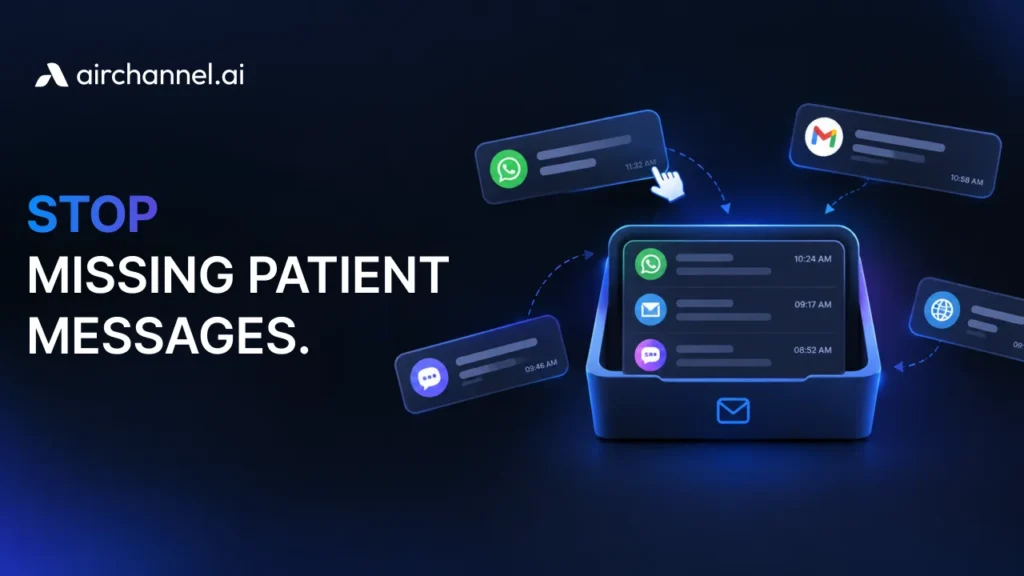
A unified inbox gives you a complete view of every conversation. Nothing hides in a separate tab. Nothing gets buried in a personal inbox. Every message is visible, assigned, and tracked.
4. Build a Stronger Team
When everyone sees the same messages, collaboration gets easy. One agent starts a conversation. Another finishes it. The customer never has to repeat themselves. SLA tracking shows your team which conversations need attention before deadlines hit.
5. Reduce Stress and Burnout
Chaos is exhausting. A clean, organized inbox lowers mental load. Your team knows exactly what needs a reply, who owns it, and when it is due. That clarity makes work feel manageable again.
The Technical Essentials: What to Look for in 2026
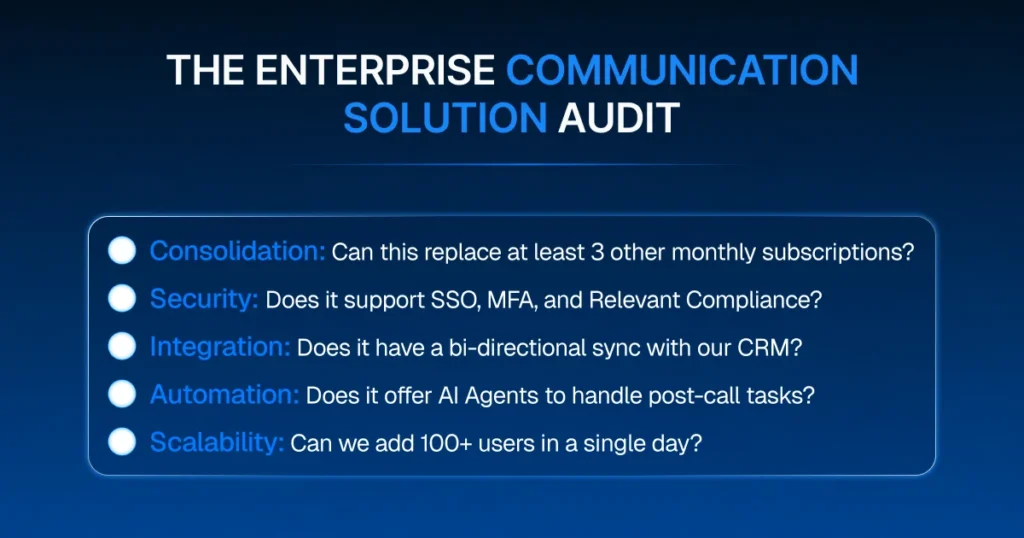
Not all unified inbox tools are equal. In 2026, finding the right enterprise communication solution means looking for features like API integrations and high-level security. Here is what to look for.
Multi-Channel Support
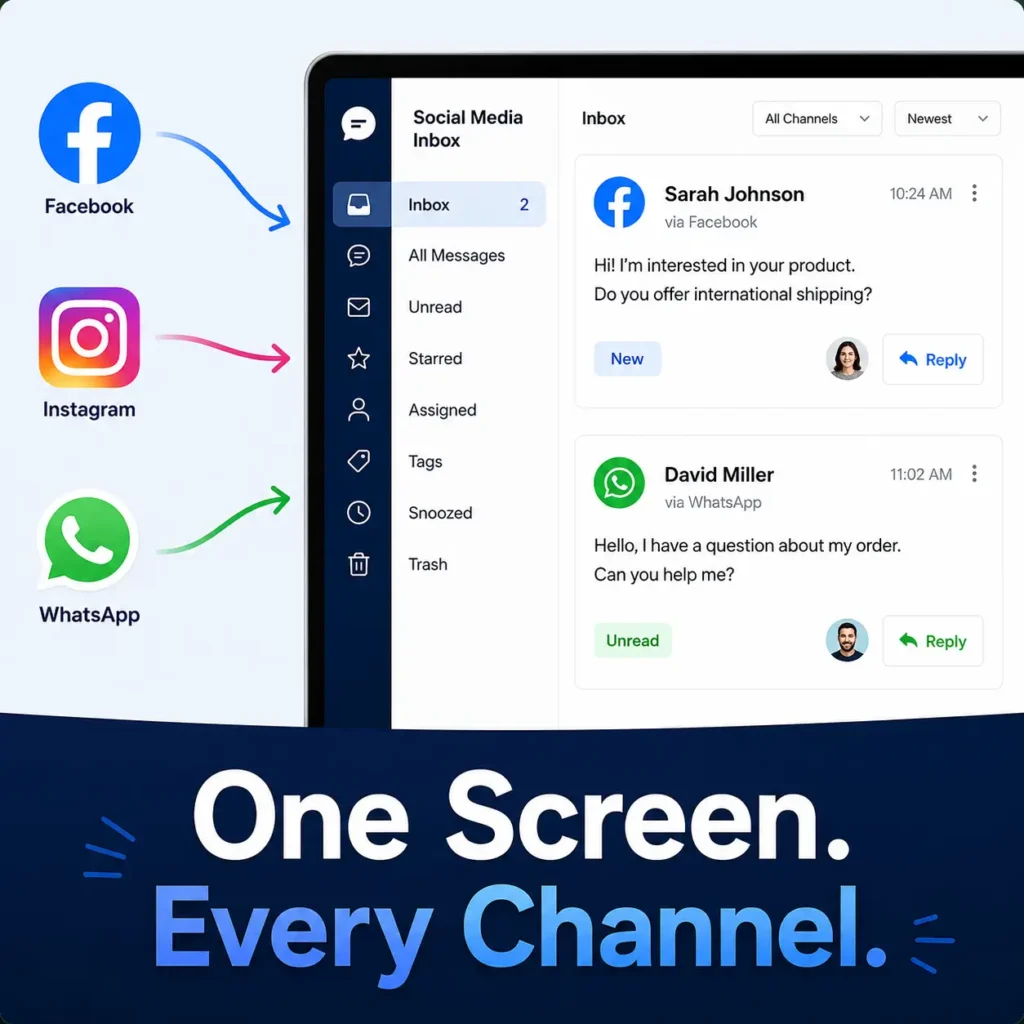
Your inbox must connect every channel your customers use. This includes email, WhatsApp, and a social media inbox for Facebook and Instagram. If a channel is missing, the chaos continues.
- Email (Gmail, IMAP, custom domains)
- WhatsApp Business
- Facebook and Instagram messages
- SMS
- Website live chat
If a channel is missing, the chaos continues.
API Integrations
Your inbox should connect to the tools you already use. Look for open API integrations with your CRM, project management software, and helpdesk. A platform that does not connect to your existing stack creates a new silo instead of removing one.
Workflow Automation
The best systems automate the boring work. Auto-route sales questions to the sales team. Send support tickets to support agents. Flag messages by language or urgency. Workflow automation means your team spends time on replies, not sorting.
AI Agents and Post-Call Intelligence
This is the future of centralized communication. AI Agents can handle routine questions automatically, 24/7, without a human in the loop. They read the conversation history, pull up the right answer, and reply in seconds.
Post-call intelligence takes it further. After a call or chat ends, AI summarizes the conversation, extracts action items, and logs everything automatically. Your team never has to write a call note again.
In 2026, platforms without AI capabilities will fall behind fast.
Message Assignment and SLA Tracking
Every conversation needs an owner. Look for a platform that lets you assign messages to specific agents, set response deadlines, and track whether those deadlines are met. SLA tracking turns vague response goals into measurable data.
Security and Privacy
This is non-negotiable. Your customer conversations contain sensitive data. The platform you choose must protect it.
What to look for:
- SOC 2 Type II Certification – This proves the platform has passed an independent security audit. It checks data access controls, encryption, and incident response.
- GDPR Compliance – If you have any customers in Europe, GDPR compliance is a legal requirement. The platform must support data deletion requests, data portability, and consent management.
- End-to-End Encryption – All messages in transit and at rest should be encrypted. Ask specifically about encryption standards (AES-256 is the current gold standard).
- Role-Based Access Controls – Not every team member should see every conversation. Look for admin controls that limit access by role.
- Data Residency Options – Some industries require data to stay in a specific country. Confirm the platform can meet that requirement.
Do not skip this section. A data breach costs far more than switching to a secure platform now.
How to Move Your Team to a Unified System
Step 1: Audit Your Channels
List every platform your business uses to communicate. Include email accounts, messaging apps, and social media. This list becomes your integration checklist.
Step 2: Set Your Goals
Decide what success looks like. Common goals include:
- Cut average reply time from 2 hours to 20 minutes
- Zero missed messages per week
- Reduce team stress scores in the next survey
Clear goals let you measure real results.
Step 3: Start a Free Trial
Most platforms offer a 14-day free trial. Use it with real messages. Connect two or three channels. Let your team use it daily and note what works and what does not.
Step 4: Train Your Team in One Session
Keep training simple. A 30-minute walkthrough covers the basics. Show your team how to claim a conversation, reply, and assign it to someone else. That is the core loop.
Step 5: Measure and Improve
After 30 days, check your numbers. Has reply time dropped? Are customers happier? Use the data to fine-tune your workflow automation rules and assignment logic.
Real-World Results
A Local Bakery
Maria owns a busy bakery. Orders came in through WhatsApp, email, Facebook, and phone. She missed a catering order worth $800 because she forgot to check WhatsApp. After switching to a unified inbox, Maria sees every order in one place. Her average reply time dropped from 2 hours to under 10 minutes. Her repeat customer rate went up 30%.
A Tech Support Team
A software company handled support tickets across email, WhatsApp, and website chat. Agents duplicated work constantly. Customers repeated their problems three times to three different agents. With a shared inbox and proper message assignment, average resolution time dropped from 2 hours to 22 minutes. Customer satisfaction scores jumped 40 points.
A Real Estate Agency
Sales agents were losing leads in the chaos. A buyer would email on Monday, WhatsApp on Tuesday, and the agent would miss the follow-up. With centralized communication and SLA tracking, no lead goes uncontacted for more than 30 minutes. The agency closed 40% more deals in the first quarter after switching.
Beyond Email: Connecting WhatsApp via AirChannel.ai
Email is just the beginning. In 2026, most customer conversations start on WhatsApp, Instagram DMs, or Facebook Messenger. If those channels are not in your unified inbox, you are already behind.
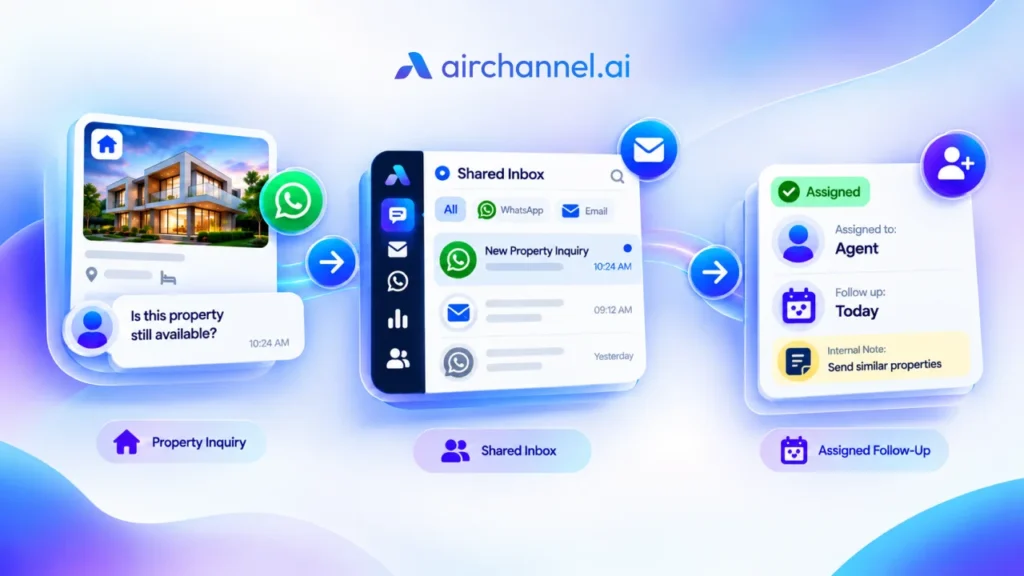
AirChannel.ai is built for exactly this. It brings WhatsApp Business, IMAP email, and Outlook into one single pane of glass. Your team sees every message, from every channel, in real time. Also, you could look into one of our articles that explains Why Are Customer Messages Getting Lost?
Here is what makes AirChannel.ai stand out in 2026:
- WhatsApp integration – Read and reply to WhatsApp Business messages without opening the app.
- Shared inbox with assignment – Assign any conversation to any team member in one click.
- Workflow automation – Set rules to route, tag, and prioritize messages automatically.
- AI-ready architecture – Built to support AI Agents and post-call intelligence as those features roll out.
- Mobile access – Full functionality on iOS and Android so your team can reply from anywhere.
- Enterprise-grade security – Encryption, role-based access, and compliance-ready infrastructure.
Whether you run a five-person startup or a 500-person enterprise, AirChannel.ai scales with you.
Conclusion: Stop the Chaos. Start Winning.
Your competitors are already moving to centralized communication. They are responding faster, missing fewer messages, and closing more deals because of it.
You now have everything you need to do the same.
A unified inbox is not a luxury. In 2026, it is the baseline for any team that wants to stay competitive. It eliminates context switching, enables workflow automation, supports AI Agents, and gives your whole team a single pane of glass to manage every customer relationship.
The first step takes two minutes.
👉 Visit AirChannel.ai – connect your channels, invite your team, and see what centralized communication feels like.
You will wonder how you worked any other way.
Frequently Asked Questions
What is centralized communication?
Centralized communication means all your business messages – email, WhatsApp, SMS, and social – flow into one platform. Your team manages every conversation from a single inbox instead of switching between apps.
What is a unified inbox?
A unified inbox is a single interface that combines messages from multiple channels. It lets teams read, reply, assign, and track conversations without opening separate apps.
Is a unified inbox secure?
Yes, if you choose the right platform. Look for SOC 2 certification, GDPR compliance, and AES-256 encryption. AirChannel.ai meets enterprise-grade security standards.
How long does setup take?
Most teams connect their channels and start using a unified inbox within one hour. No technical expertise is required.
What channels does AirChannel.ai support?
AirChannel.ai supports WhatsApp Business, email (Gmail and IMAP), Outlook, Facebook Messenger, Instagram DMs, SMS, and website live chat.
What is context switching, and why does it matter?
Context switching is the mental cost of moving between different apps and tasks. Each switch costs focus time. Reducing context switching through a unified inbox directly improves team productivity and reduces burnout.