Your inbox is full. Your WhatsApp is buzzing. Your team is working hard, but customers are still waiting. If replies keep slipping past your target, the problem is rarely effort. It is almost always friction.
This guide breaks down the seven hidden causes of slow response times, along with providing answers to why is your team replying slowly and giving you a clear framework to fix them.
How to Improve Customer Service Response Time (Quick Answer)
To improve customer service response time, combine three things: a unified inbox that pulls every channel into one screen, clear SLAs that set a time target for every message, and automatic conversation assignment so no message sits unclaimed. Together, these three fixes remove the manual work that slows teams down. Most teams that adopt this approach cut first response time by half within a few weeks.
This is the short version. Below, you will find the full breakdown of why your team is slow, and exactly how to fix each cause.
Why This Matters Right Now
If you searched this term, you are probably watching a metric climb in the wrong direction. Maybe it is your CSAT score. Maybe it is churn. Maybe it is a Slack message from a customer who says “still waiting” for the third time this week.
Here is the good news. Response time problems are almost always structural, not personal. Businesses that respond to customer inquiries within one hour are about seven times more likely to convert that customer, according to Harvard Business Review research on response speed. And 90% of customers rate an “immediate” response as important or very important, with most defining “immediate” as ten minutes or less, per HubSpot research.
Your customers are not asking for perfection. They are asking for speed. Let’s find out what is slowing you down.
Think about the last time you were the customer. You sent a message about a delayed order or a billing question. If you waited hours for a reply, you probably started drafting an angry follow-up, or you opened a competitor’s site to compare options. Your customers are doing the exact same thing right now, in real time, while your team hunts for their message across five different tabs.
Slow response time is not just an internal metric. It is the first impression your support team makes, and first impressions are hard to undo.
The Cost of Silence (Why Speed Actually Matters)
Why are team replying slowly? Slow replies are not just annoying. They cost you money.
A widely cited Harvard Business Review study found that companies are roughly 7 times more likely to convert a lead if they respond within the first hour, compared to responding later. After that window closes, conversion odds drop fast.
There is also a “5-minute satisfaction cliff.” Customer satisfaction stays high in the first few minutes after a message. Once you cross the 5-minute mark, CSAT scores start to slide, and they keep sliding the longer someone waits.
In short: reduce first response time (FRT), and you protect both revenue and reputation.
Let’s look at what’s actually causing slow team response time inside most support teams.
The 7 Hidden Killers of Fast Replies
1. The Tab-Swapping Tax (Context Switching)
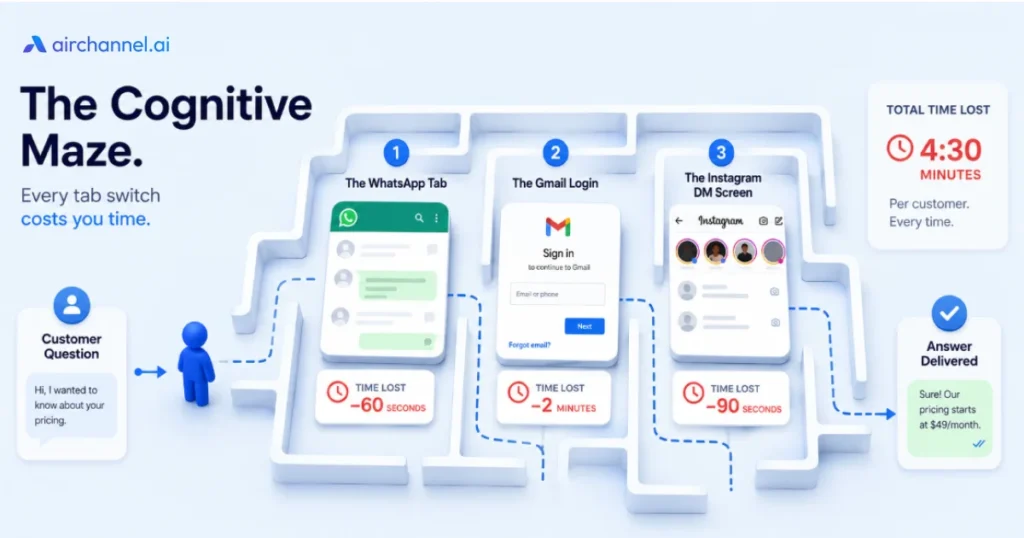
Every time an agent jumps from Gmail to WhatsApp Web to Instagram DMs to Slack, their brain pays a tax. Research on context switching consistently shows it costs several minutes of lost focus per switch, not seconds.
Multiply that by 40 conversations a day, across five apps, and your team is losing hours to tab-switching alone. This is not a discipline problem. It is a design problem.
The fix: Bring every channel into a single shared inbox. When agents stop hunting for messages across apps, they start answering them.
2. The WhatsApp “Black Hole” (Single Device Bottleneck)
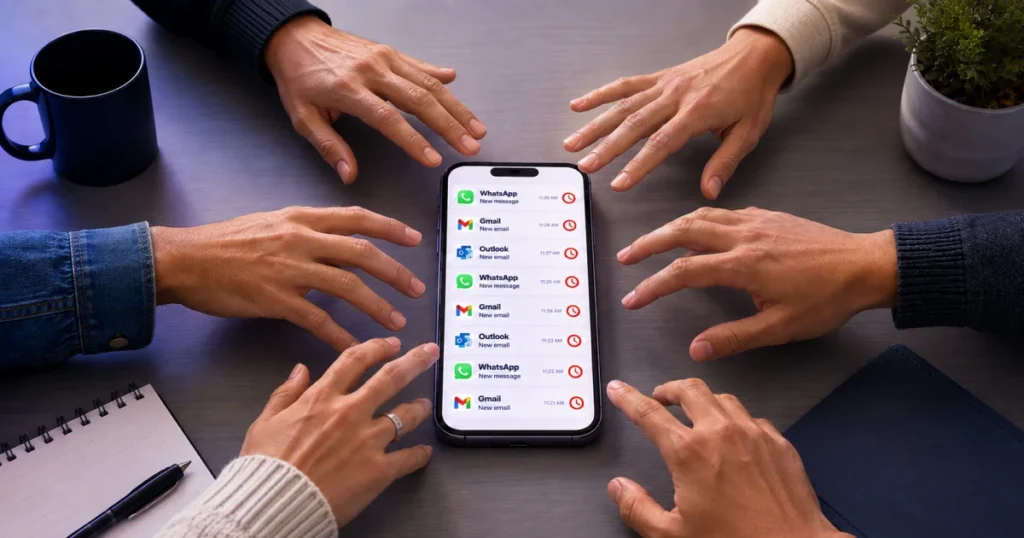
Many teams still run WhatsApp Business from one phone, or one shared login. When that phone is with one person, or that login is open on one laptop, every other message waits in a queue nobody can see.
This is the single biggest reason WhatsApp response times fall behind email and live chat. One phone cannot serve five agents at once.
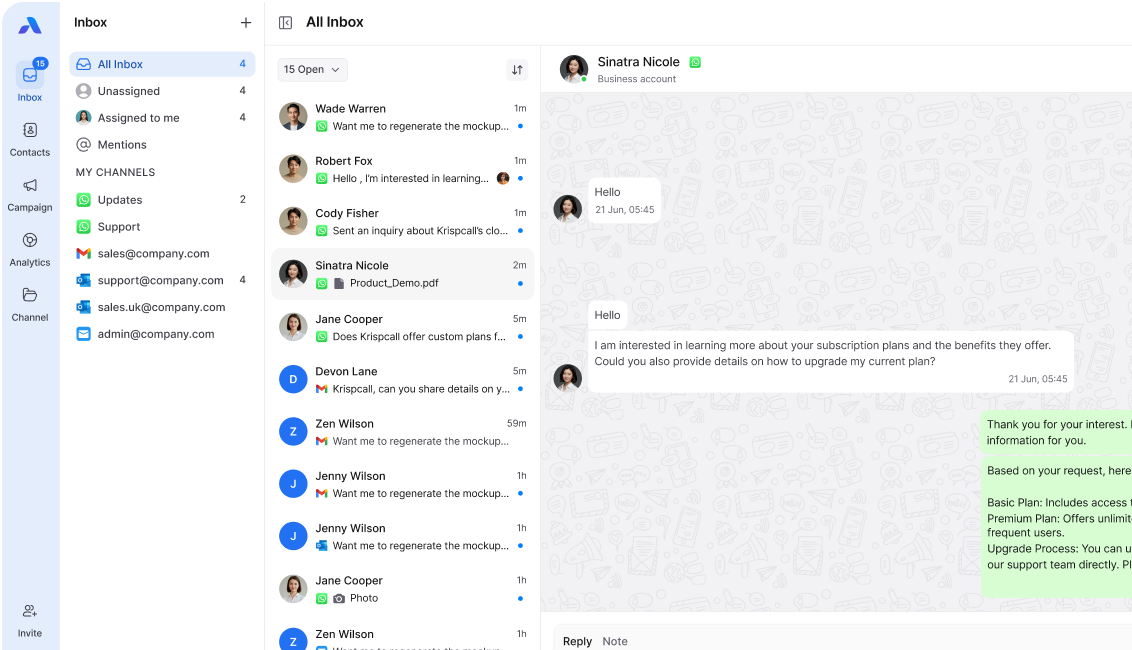
The fix: Move to a WhatsApp Team Inbox where multiple agents can see, claim, and reply to WhatsApp Business conversations at the same time, from any device.
3. Lack of Conversation Ownership (Diffusion of Responsibility)
When a message lands in a shared inbox with no owner, something predictable happens. Everyone assumes someone else will answer it. Psychologists call this diffusion of responsibility. Support teams call it “I thought Sarah had it.”
The fix: Use Conversation Assignment to instantly route each message to a specific person. Ownership should be visible the moment a message arrives, not decided after the fact.
4. Internal Note Nightmare (The Slack-to-Email Loop)
An agent gets a tricky question. They cannot answer alone, so they copy the message into Slack, ask a teammate, wait for a reply, then paste the answer back into the original thread. Ten minutes gone, and the customer never saw any of it happen.
The fix: Keep collaboration inside the conversation itself using Internal Notes. Agents can tag a teammate, ask a question, and get an answer without ever leaving the customer’s thread.
5. Manual Triage (The Routing Bottleneck)
If a manager or senior agent has to read every incoming message before deciding who should handle it, that person becomes a bottleneck by definition. The moment they step away, everything slows down.
The fix: Set up rules-based ticket routing so messages go straight to the right person or team based on channel, keyword, or customer type. No human gatekeeper required.
6. Missing SLAs (No Benchmark for Speed)
You cannot improve what you do not measure. Teams without a defined SLA (Service Level Agreement) have no shared understanding of what “fast” even means. One agent thinks two hours is fine. Another thinks it should be ten minutes.
The fix: Set explicit SLA targets per channel. For example: WhatsApp under 15 minutes, live chat under 2 minutes, email under 4 hours. Make the targets visible to the whole team, not just management.
7. Tool Fragmentation (Data Silos)
When customer history lives in five different tools, agents waste time reconstructing context before they can even start replying. This is message fragmentation at its most costly. It slows first response and hurts quality, because agents are guessing instead of knowing.
The fix: Consolidate around a single customer communication platform where conversation history, customer details, and channels all live in one place.
Industry Benchmarks: Email vs. WhatsApp vs. Live Chat
| Channel | Customer Expectation | Common Reality | Strong Target |
| Within 1 hour | 12+ hours average | Under 4 hours | |
| Within 15 minutes | Hours, if on one phone | Under 15 minutes | |
| Live Chat | Under 1 minute | 2 minutes average | Under 45 seconds |
The gap between “common reality” and customer expectation is exactly where churn, poor CSAT, and lost sales live.
Decision Tree: Is It a People Problem or a Tool Problem?
Use this quick test after running your audit.
- Do agents see the message quickly, but still delay replying? That is a people problem. Look at workload, training, or unclear ownership.
- Do agents miss the message entirely, or find it late? That is a tool problem. Your channels are fragmented, and nothing is routing automatically.
- Do agents know who owns it, but still have to ask a teammate before replying? That is a team collaboration problem. Your internal note system is too slow.
Most teams discover it is a mix of all three. The good news is that fixing the tool problem usually clears space to fix the other two.
The Response Time Audit Framework (3 Steps)
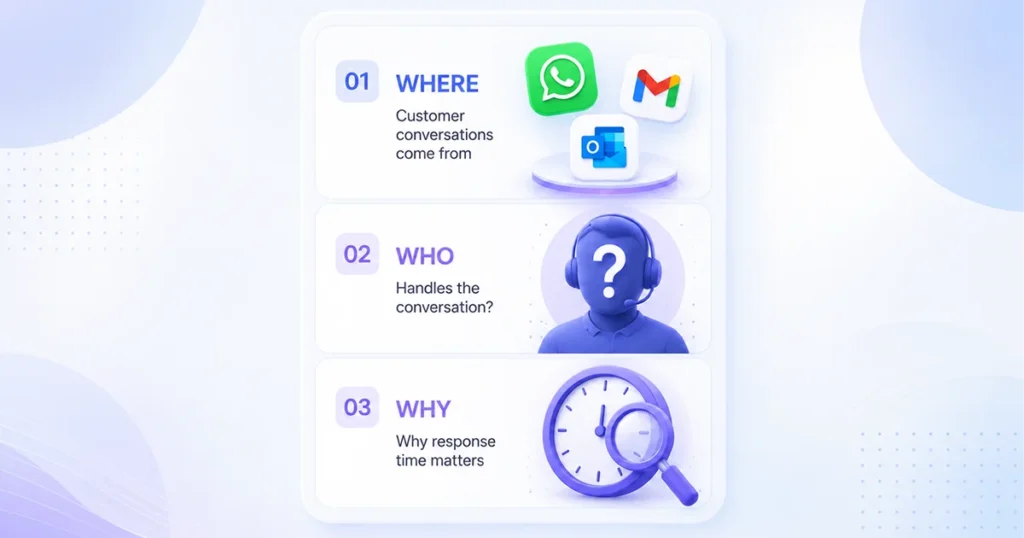
Before buying any new tool, run this quick audit. It takes about a day.
Step 1: The Where Audit. Map every channel customers use to contact you. Email, WhatsApp, Instagram, live chat. List them all.
Step 2: The Who Audit. For each channel, ask: who is actually responsible for replying? If you cannot name a person or a clear rotation, you have found a conversation ownership gap.
Step 3: The Why Audit. For your 10 slowest replies last week, ask why each one was slow. Was it context switching? Manual triage? A missing internal note? Pattern-match the answers. This tells you exactly which of the 7 killers is hurting you most.
Do You Need a New Tool? A Simple Decision Tree
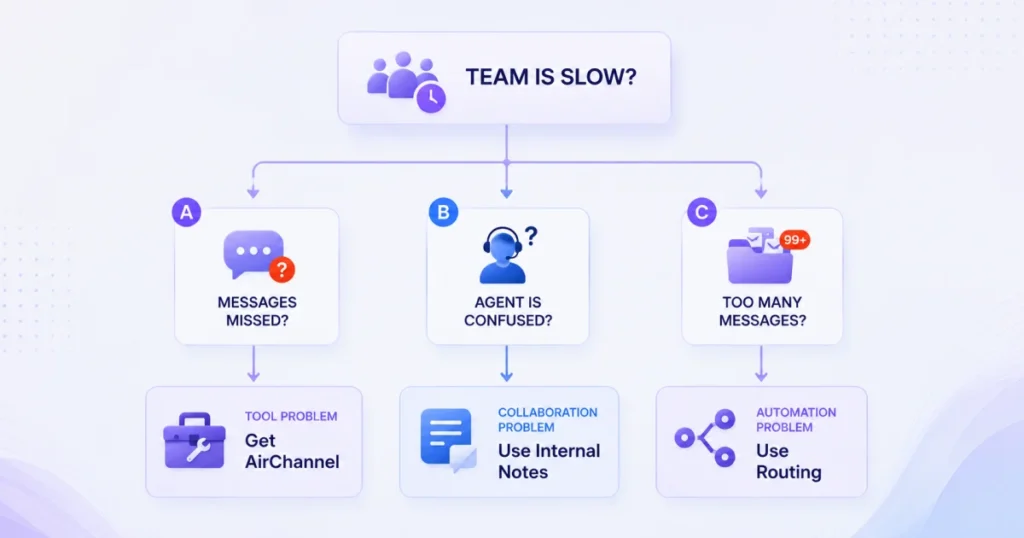
Not every slow-response problem needs new software. Use this to check:
Is your team missing messages entirely?
├── YES → You have a visibility problem. You likely need a Unified Inbox.
└── NO → Continue
│
Are replies delayed because of internal back-and-forth?
├── YES → You have a collaboration problem. You need Internal Notes.
└── NO → Continue
│
Is one person a bottleneck for WhatsApp specifically?
├── YES → You need a Shared WhatsApp Inbox.
└── NO → Your issue may be training or staffing, not software.
If you landed on “Unified Inbox,” “Internal Notes,” or “Shared WhatsApp Inbox,” a platform like AirChannel was built for exactly this.
How AirChannel Fixes These Killers
You don’t need to overhaul your whole team to fix slow replies. You need to close the specific gaps above.
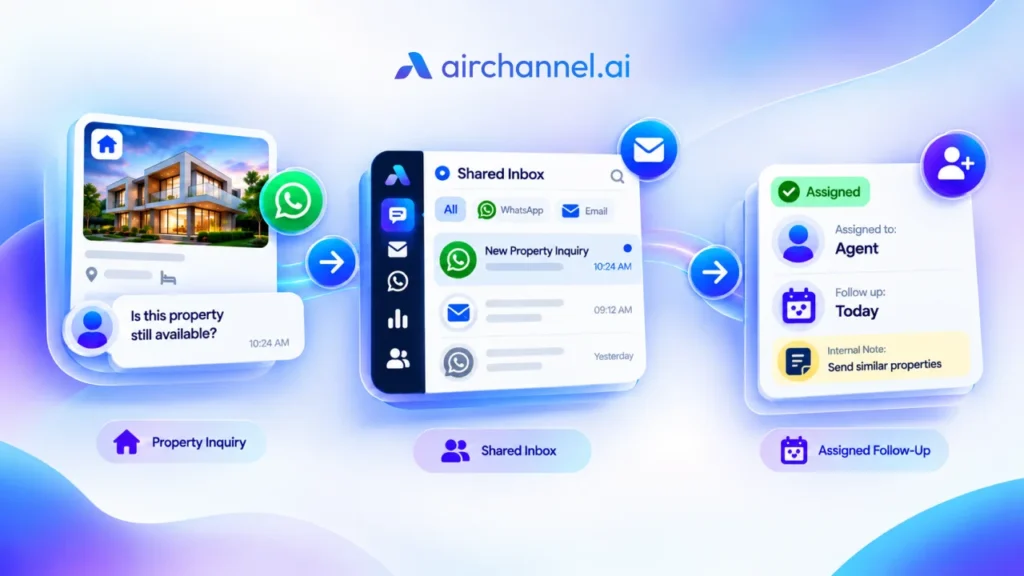
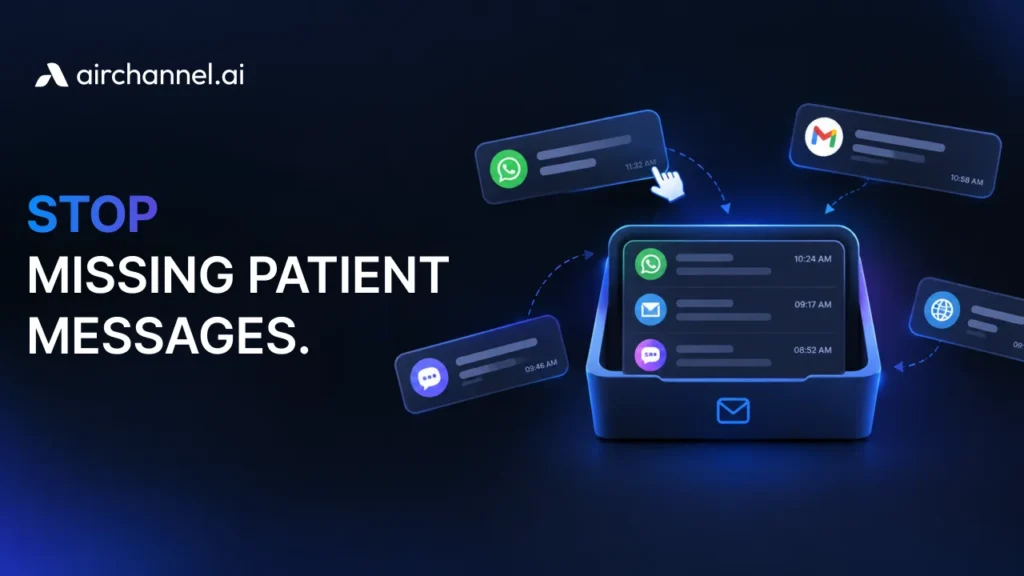
AirChannel’s Unified Inbox pulls WhatsApp, email, and social messages into one screen. That kills context switching and message fragmentation at the source. Agents stop hunting across tabs and start replying.
Conversation Assignment removes the diffusion of responsibility problem. Every message gets an owner, automatically. No more guessing who’s supposed to reply.
Internal Notes live inside the same thread as the customer conversation. Need a quick answer from a manager? Tag them right there. No Slack detour, no forgotten follow-up.
And the Shared WhatsApp Inbox replaces the single-phone black hole with a system your whole team can access at once, so no message waits on one person’s availability.
Want to see how the assignment system works in practice? Check out how Conversation Assignment routes messages automatically.
What Most Managers Get Wrong
Before you fix your response time, it helps to know what not to do. These three mistakes show up again and again, and they usually make the problem worse, not better.
Mistake 1: Hiring more people before fixing the tool. Adding headcount to a broken workflow is like pouring water into a leaky bucket. More agents means more people fighting the same fragmented tools, the same manual triage, and the same unclear ownership. Fix the structure first. You may find you needed fewer new hires than you thought.
Mistake 2: Using personal WhatsApp accounts for business. When support runs through someone’s personal number, you lose visibility, backup coverage, and a paper trail the moment that person is on leave or leaves the company. It also blocks any real workflow automation, since a personal number cannot connect to a shared system. A dedicated shared WhatsApp business account solves this from day one.
Mistake 3: Over-relying on quick replies without context. Canned responses feel efficient, but firing off a generic quick reply without reading the customer’s history often creates a second, angrier message. Speed without context is not real speed. It just moves the delay to the second reply instead of the first.
Frequently Asked Questions
What is a good first response time (FRT) for email?
High-performing teams keep email first response time under 4 hours. Anything beyond 24 hours puts you at real risk of losing the customer’s attention.
What is the difference between first response time and resolution time?
First response time measures how fast you send the first reply. Resolution time measures how long it takes to fully solve the issue. A fast first response builds trust even if the full resolution takes longer, because it tells the customer they have been heard.
Does faster response time actually increase sales?
Yes. Faster replies capture buyers while intent is highest. Research on lead response shows conversion odds drop sharply for every extra minute a lead waits.
How do I manage a shared inbox without it turning into a mess?
Assign clear conversation ownership, define an SLA per channel, and keep internal discussions attached to the thread instead of scattered across separate apps. This is exactly what tools like a proper Shared Inbox and Internal Notes system are designed to solve.
How do I transition my team to a new tool without stopping work?
Run both systems in parallel for one to two weeks. Move one channel first, usually WhatsApp or live chat, before touching email. Keep the old tool open as a backup during the switch, and set a hard cutover date so the transition does not drag on indefinitely.
Can I use AirChannel if I only have one WhatsApp number?
Yes. AirChannel connects to your existing WhatsApp Business number and lets multiple agents access it at once, without buying additional numbers or moving to a new phone. This is exactly the setup that solves the single-device bottleneck described in The WhatsApp Black Hole.
The Bottom Line
Slow replies are rarely about effort. They’re about systems that were never designed for how customers message businesses today, across five channels, expecting an answer in minutes.
Fix the structure, and the speed follows. Start with your audit. Find your biggest leak. Fix one killer at a time, starting with whichever one your audit flagged as the worst offender.
If you want to see how a unified inbox for teams brings WhatsApp, email, and social messages into one screen with built-in Conversation Assignment and Internal Notes, explore AirChannel as your customer communication platform. You can also connect a shared WhatsApp business account in minutes, no new phone required.