Sharing one Gmail password with your whole team feels simple at first. Then someone forgets to log out. Two people reply to the same customer with different answers. A teammate leaves the company, and now you have to reset the password for everyone.
If you are searching for the best shared Gmail alternatives, you already know this pain. This guide breaks down the seven best tools, the risks of sticking with a shared password, and how to pick the right option for your team. For a deeper look at how these tools work, check out our comprehensive shared inbox guide.
What Is the Best Alternative to a Shared Gmail Account?
The best alternative to a shared Gmail account is a dedicated shared inbox tool. These tools fall into three types: standalone platforms (like AirChannel or Front), Gmail extensions (like Hiver or Gmelius), and basic collaborative inboxes (like Google Groups). Each gives your team secure, password-free access to one address.
Why the Shared Password Method Fails
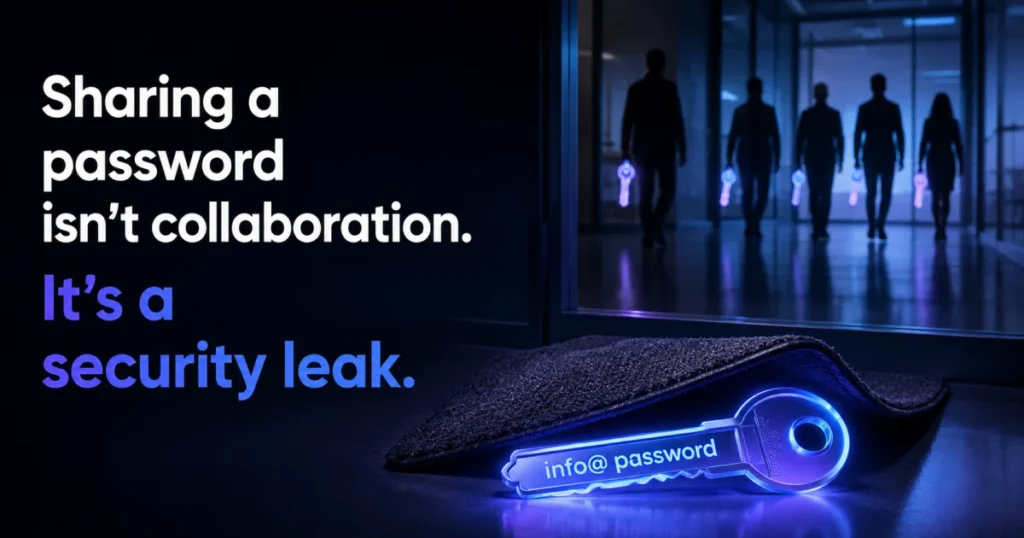
Most teams start with one email like info@yourcompany.com. Everyone gets the login. It works fine until your team grows past two or three people.
Here is where it breaks down:
- Security risk. If someone leaves the company, you must reset the password for every remaining teammate.
- No accountability. You can’t tell who replied to what.
- Double replies. Two people answer the same email with different information. This is called a collision, and it makes your business look disorganized.
- No visibility. You can’t track response times or spot bottlenecks.
Want the full case for switching? Here are the benefits of a team inbox beyond just fixing the password problem.
Is Google Collaborative Inbox Free?
Yes, Google Collaborative Inbox is free with Google Groups. But it has real limits. There is no collision detection, no internal notes for private team chat, and no way to connect channels like WhatsApp or SMS. For small teams testing the waters, it works. For growing teams, it becomes a bottleneck fast.
The 7 Best Shared Gmail Alternatives
Here are the seven tools worth considering, based on integration style, channel support, and pricing at scale.
1. AirChannel.ai
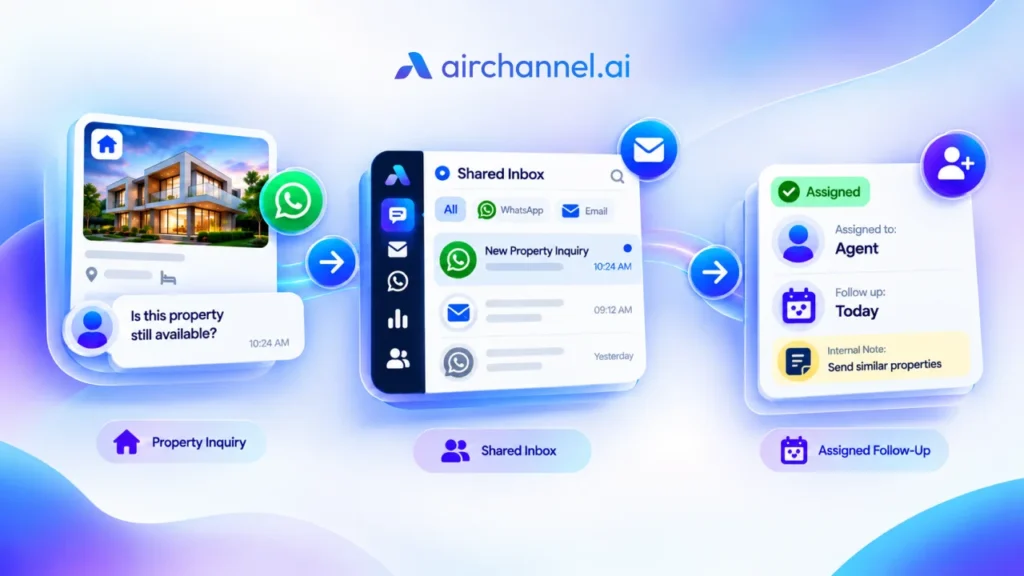
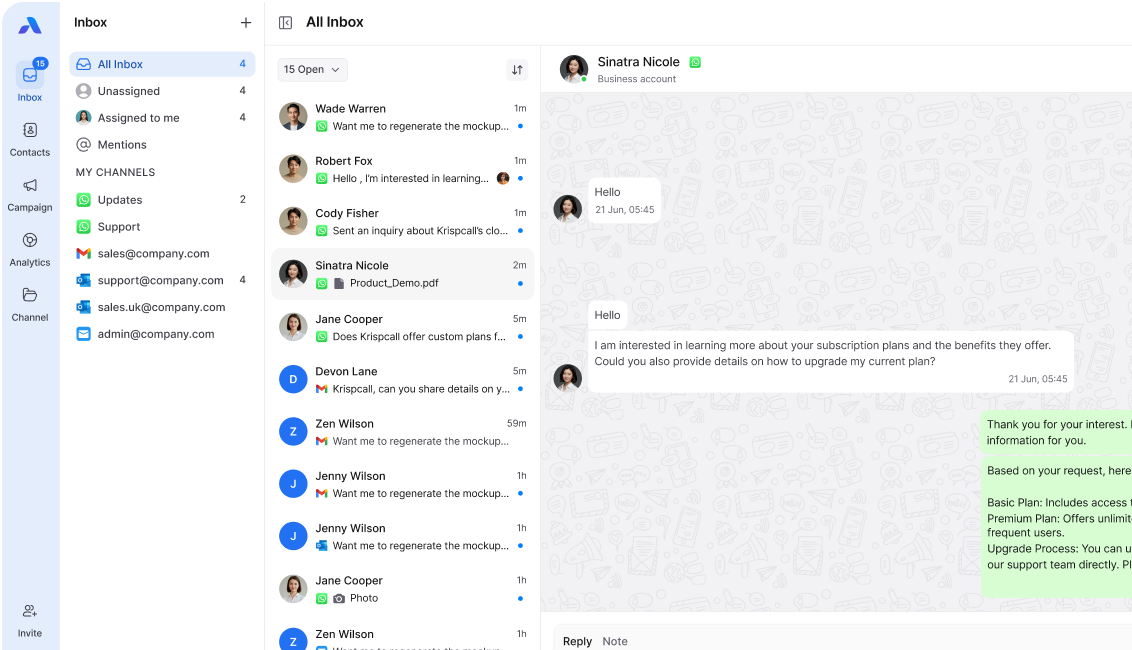
AirChannel is a standalone platform built to unify email and WhatsApp in one global inbox. It replaces the Gmail interface entirely, so your team works from one screen instead of switching tabs. It includes collision detection, internal notes, conversation assignment, and SLA management to track response times. Best for teams that need email and WhatsApp handled together, not as separate tools.
2. Front
Front is another standalone platform, popular with larger support and sales teams. It offers strong email collaboration features and integrates with many business tools. It supports multiple channels, though WhatsApp setup can require extra configuration. Best for teams that want deep integrations across a large software stack.
3. Hiver
Hiver is a Gmail extension, meaning it installs directly inside your existing Gmail interface. It adds collision detection, internal notes, and basic SLA tracking without changing how Gmail looks. Best for small teams that want to stay inside Gmail and avoid learning a new interface.
4. Help Scout
Help Scout is a standalone help desk platform built around shared mailboxes and customer support workflows. It offers canned responses, internal notes, and reporting. It leans more toward customer support ticketing than general team email. Best for support teams that want a help desk feel rather than an inbox feel.
5. Spark for Teams
Spark for Teams is a shared inbox layer built on top of a consumer email app. It offers basic assignment and internal comments. It has fewer advanced features like SLA management or deep WhatsApp integration. Best for smaller teams that want a simple, lightweight shared inbox without a steep learning curve.
6. Zoho Mail
Zoho Mail offers shared mailbox features as part of its wider Zoho Workspace suite. It supports account signatures, basic delegation, and works well if your team already uses other Zoho products. It is less focused on collision detection or multi-channel messaging. Best for teams already inside the Zoho ecosystem.
7. Microsoft 365 Shared Mailboxes
Microsoft 365 offers native shared mailboxes through Outlook and Exchange, often using ActiveSync for mobile access. It works well for teams already on Microsoft’s ecosystem, but it lacks collision detection, internal notes, and any WhatsApp or SMS support out of the box. Best for teams that need basic shared access and already run on Microsoft infrastructure.
The 30-Second Shared Inbox Scorecard
Not sure if you need a standalone platform or a simple extension? Score your team below. Give yourself one point for every “yes.”
- Does your team have more than 5 people replying to one inbox?
- Do you need WhatsApp or SMS alongside email?
- Have you ever had two teammates send different replies to the same customer?
- Do you need to track response times or SLAs?
- Will your team grow past 10 people in the next year?
0-1 points: A free Collaborative Inbox or basic extension is probably enough for now.
2-3 points: A Gmail extension like Hiver fits your current needs.
4-5 points: You need a standalone platform like AirChannel or Front. Your team has outgrown Gmail’s native tools.
Top 5 Benefits of a Shared Inbox Tool
Switching from a shared password to a real shared inbox tool changes how your team works. Here are the top five benefits.
- Collision detection. See when a teammate is already replying, so you never send a duplicate answer.
- Internal notes. Tag a teammate privately inside an email thread without forwarding it or starting a Slack thread.
- Conversation assignment. Assign any email to a specific person, so nothing falls through the cracks.
- No shared passwords. Team members log in with their own account through OAuth sign-in. The main inbox password stays private.
- Multi-channel support. Manage email, WhatsApp, and SMS from one global inbox instead of switching tabs all day.
Key Features to Look For
Not every tool offers the same depth. Before you commit, check for these features.
- Collision detection
- Internal notes and @mentions
- Conversation assignment and routing
- Canned responses for common questions
- Account signatures shared across the team
- SLA management and response time tracking
- Multi-channel support (email, WhatsApp, SMS)
- OAuth sign-in instead of shared passwords
How Do You Choose Between a Gmail Extension and a Standalone Platform?
This is the biggest fork in the road. Extensions like Hiver or Spark for Teams live inside your existing Gmail interface. They are easy to install but limited mostly to email. Standalone platforms like AirChannel or Front replace the Gmail interface entirely and unify every channel your customers use, including WhatsApp, through one global inbox.
Stop switching tabs. See how AirChannel unifies Gmail and WhatsApp for your team. [Explore AirChannel]
Extension-Based Tools vs. Standalone Platforms
| Feature | Extension-Based (Hiver, Spark) | Standalone Platform (AirChannel, Front) |
| Setup | Installs inside Gmail | Replaces Gmail interface with a global inbox |
| Email support | Yes | Yes |
| WhatsApp support | Limited or none | Yes, fully integrated |
| SMS support | Rare | Yes |
| Collision detection | Yes | Yes |
| Internal notes | Yes | Yes |
| SLA management | Basic or none | Built in |
| Best for | Small teams staying inside Gmail | Growing teams managing multiple channels |
| Scalability | Can get costly per seat as channels are added separately | Built to scale across channels from day one |
The Gmail Maturity Model: Where Does Your Team Stand?
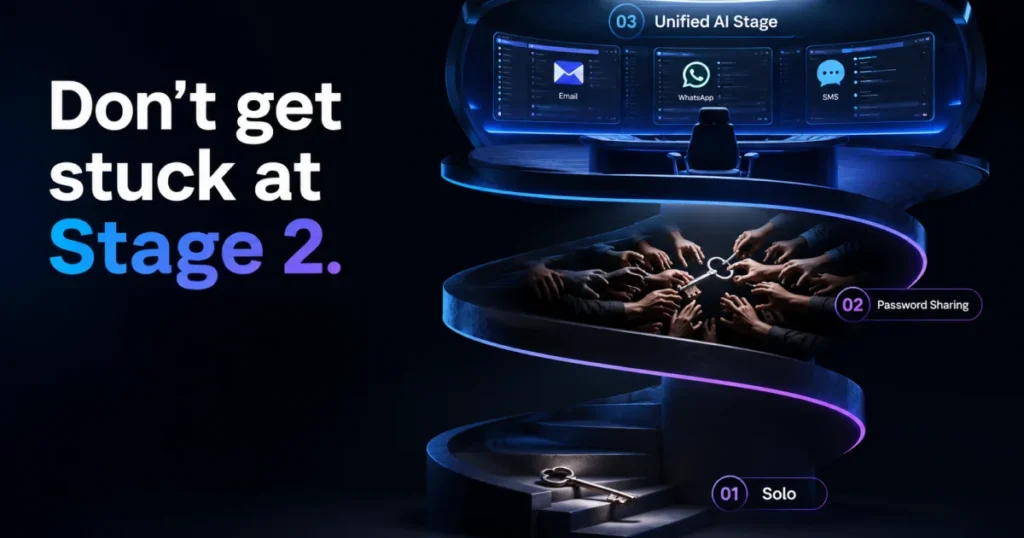
Most teams move through four stages as they grow. Knowing your stage helps you pick the right tool instead of overpaying or under-buying.
- Stage 1: Shared password. One inbox, one login, everyone shares it. Works for teams of one or two.
- Stage 2: Google Groups or Collaborative Inbox. Free, basic routing, but no collision detection or channel unification.
- Stage 3: Gmail extension. Adds collision detection and internal notes, but stays limited to email.
- Stage 4: Unified platform. Combines email, WhatsApp, and SMS with full assignment, SLA tracking, and AI-driven summaries.
If your team talks to customers on WhatsApp but manages it separately from email, you are stuck between Stage 3 and Stage 4. That gap is where most teams lose time and drop messages.
Why Multi-Channel Matters More Than You Think
Most shared inbox tools are built email-first. WhatsApp gets added later, if at all. But your customers do not think in channels. They message you on WhatsApp, then follow up by email, and expect your team to remember the full conversation.
A true shared Gmail alternative should be channel-agnostic. That means:
- One thread history across email and WhatsApp for each customer
- One assignment system, not two separate tools
- One set of internal notes your whole team can see
This is where AirChannel differs from Gmail-only extensions. It treats a WhatsApp team inbox as equally important as email, not as an afterthought.
Before vs. After: A Real Workflow Comparison
Before (Shared Password Method): A customer emails info@yourcompany.com. Two teammates see it in their inbox at the same time. Both start typing a reply. The customer gets two different answers within minutes.
After (Shared Inbox Platform): The same email comes in. Collision detection shows a teammate is already replying. The email gets assigned to one person. A second teammate adds an internal note with pricing details. The customer gets one clear, accurate answer.
Migration Readiness Checklist
Before you switch, ask your team these questions.
- Will we lose our existing Gmail labels and folders?
- How much will it cost once we add our 5th or 10th teammate?
- Do we need WhatsApp and SMS, or just email?
- Who will manage the DNS setup during migration?
- Do we have a backup plan if something breaks during the switch?
Most tools sync with your existing Gmail labels and folders during setup, so you do not start from zero.
Technical Migration Guide: Protecting Your Email Deliverability
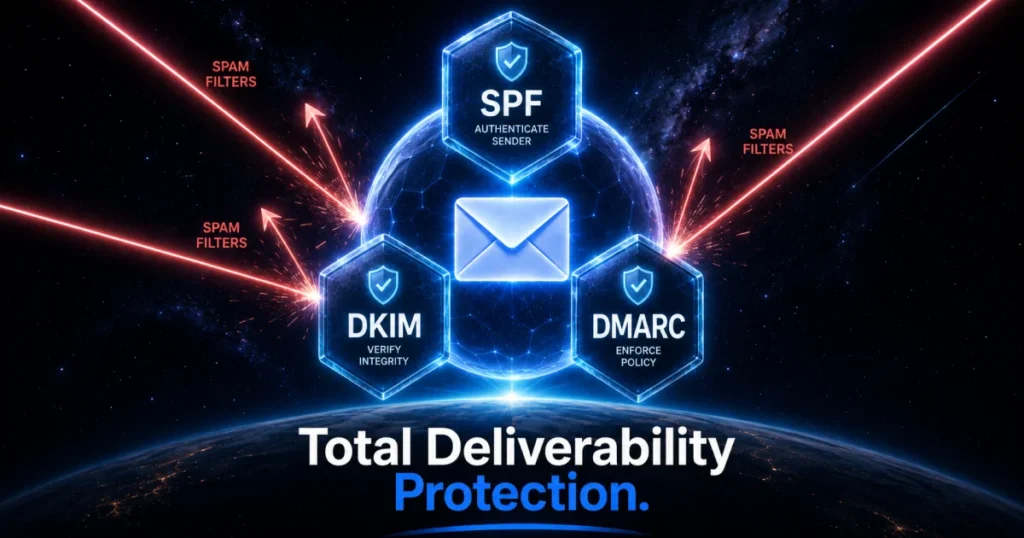
Switching tools can hurt your email deliverability if you skip the technical setup. Check these steps before you migrate.
- SPF (Sender Policy Framework). Confirms your new tool is allowed to send email on your domain’s behalf.
- DKIM (DomainKeys Identified Mail). Adds a digital signature so receiving servers trust your email is not spoofed.
- DMARC. Tells email providers what to do if a message fails SPF or DKIM checks.
- MX records. Make sure mail routing still points where it should during the switch.
- IMAP mailbox or ActiveSync settings. Confirm your new platform can sync your existing IMAP mailbox, or your mobile ActiveSync setup, without gaps.
Skipping these DNS records (SPF, DKIM, DMARC) is one of the most common ways teams accidentally land in spam folders after switching tools.
Managing info@ vs. Personal Accounts
A common fear when switching is mixing work and personal mail. This is easier to avoid than it sounds. With OAuth sign-in, each teammate connects their own personal or work Google account to the shared info@ mailbox. They never see or touch the info@ password.
Your personal inbox and the shared inbox stay completely separate on screen, even though you are working from the same tool. If a teammate leaves the company, you simply remove their access. You never need to reset the info@ password or worry about their personal account touching shared data.
Will I Lose My Existing Gmail Labels and Folders?
No, in most cases. Standalone platforms and extensions typically sync with your existing Gmail structure during setup, pulling over your labels and folders so your history stays intact. Always confirm this with a specific tool before you commit, since sync depth varies by provider.
3 Mistakes Teams Make When Switching
- No migration plan. Switching tools mid-week with no backup causes chaos and missed messages.
- Picking a tool that’s too complex. If non-technical staff can’t use it without training, adoption fails.
- Ignoring channel needs. Choosing an email-only tool, then realizing WhatsApp volume is just as high.
How Do You Choose the Right Alternative? A 3-Point Framework
- Integration. Do you want a tool that lives inside Gmail, or one that replaces it with a unified global inbox?
- Channels. Do you only need email, or does your team also handle WhatsApp and SMS?
- Scalability. What will this cost when your team doubles in size?
Answer these three questions honestly, and the right tool becomes obvious.
People Also Ask
How can multiple people access one Gmail account without sharing a password?
Use a shared inbox tool with OAuth sign-in. Each teammate logs in with their own credentials, and the main account password stays private and secure.
How can multiple people access one Gmail account without sharing a password?
Use a shared inbox tool with OAuth sign-in. Each teammate logs in with their own credentials, and the main account password stays private and secure.
Is Google Collaborative Inbox free?
Yes. It’s free through Google Groups, but it lacks collision detection, internal notes, and multi-channel support. It works for very small teams but becomes limiting as you grow.
Will I lose my existing Gmail labels and folders if I switch?
Most shared inbox platforms sync with your existing Gmail structure during setup. Check this with any tool before you commit.
Can I manage WhatsApp and Gmail in the same shared inbox?
Yes, with a unified platform like AirChannel. Email-only extensions typically cannot do this, which is why channel-agnostic tools are becoming the standard for growing teams.
What is the difference between an extension and a standalone shared inbox?
An extension, like Hiver, installs inside your existing Gmail interface and mainly handles email. A standalone platform, like AirChannel, replaces the interface entirely and unifies email with channels like WhatsApp and SMS in one global inbox.
Ready to End the Gmail Chaos?
Shared passwords and disconnected tools cost your team time and create risk. Every day you wait is another day of double replies, missed WhatsApp messages, and a password everyone on your team can see.
AirChannel fixes this in one move. Your team gets one global inbox for email and WhatsApp, secure OAuth sign-in instead of shared passwords, and internal notes so nothing gets lost between teammates. Setup takes minutes, and your existing Gmail labels and folders come with you.
Book a Demo with AirChannel today. No migration headaches, just one inbox your whole team can finally trust.