Patient messages on WhatsApp rarely stay simple for long. One person starts answering questions on a shared number, then a second staff member gets added. Within weeks, nobody is quite sure who replied to what, which messages are still open, or who’s supposed to follow up.
This shows up as a few familiar problems: unclear ownership, duplicate replies, missed messages, rough handoffs, and follow-ups that quietly get forgotten.
Adding more people to the same number doesn’t solve any of that. What helps is a clear workflow around every conversation, so each message has a clear path from arrival through response, escalation, and follow-up. That workflow has seven parts: Receive, Classify, Assign, Respond, Escalate, Document, and Follow Up.
Quick Answer: How Should Healthcare Teams Manage Patient WhatsApp Messages?
Effective teams handle patient WhatsApp messages the same way every time. A message lands somewhere the whole team can see it, gets sorted by type, and gets assigned to one clear owner before anyone replies. The owner responds with the right level of detail, escalates anything that needs more attention, and leaves a short note so the next person has context.
A reply shouldn’t automatically count as the end of the conversation. Some messages need a confirmation, a callback, or another step before they’re finished, which is why follow-up needs its own owner too. This is the Receive, Classify, Assign, Respond, Escalate, Document, Follow Up framework, and each step solves a problem that shows up when patient messages are handled informally.
Shared WhatsApp Number vs. Shared WhatsApp Inbox
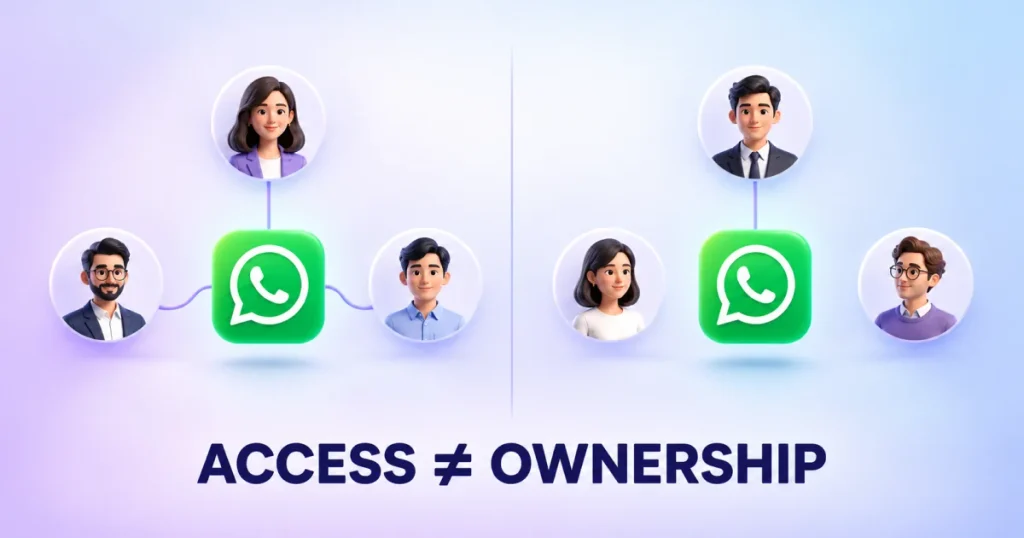
A shared WhatsApp number means several people can see and reply to the same conversations, usually through WhatsApp Web on different computers or a passed-around phone. Everyone has access; nobody has a defined role.
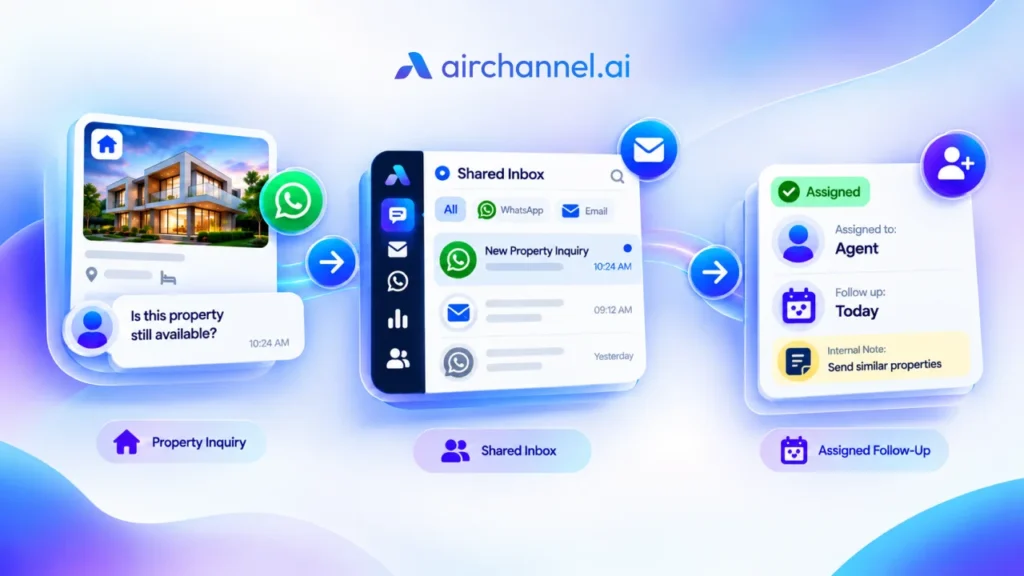
A shared inbox adds a workflow on top of that access. Conversations get assigned to a specific person, the team can see who owns what, and there’s a record of what already happened. A shared number is about access; a shared inbox is about accountability, and the distinction plays out differently in practice depending on how a team sets things up.
| Typical Shared-Number Setup | Shared Inbox Workflow | |
| Team access | Yes | Yes |
| Conversation ownership | Usually informal | Assigned to a person or role |
| Assignment | Not built in | Part of the workflow |
| Visibility into who’s handling what | Depends on the team communicating | Visible by default |
| Duplicate-reply prevention | No structural mechanism | Ownership makes overlap easier to avoid |
| Handoffs between shifts | Relies on memory | Supported by assigned status and notes |
| Follow-up tracking | Easy to lose track of | Conversation status is trackable |
| Conversation context | Harder to organize across devices and logins | Kept together in one place |
| Manager visibility/reporting | Limited | Available |
This reflects a basic shared-number setup, not a claim about every possible configuration. A shared inbox won’t automatically fix every communication problem, but it gives a team the structure to fix these problems consistently.
The 7-Step Workflow for Managing Patient WhatsApp Messages
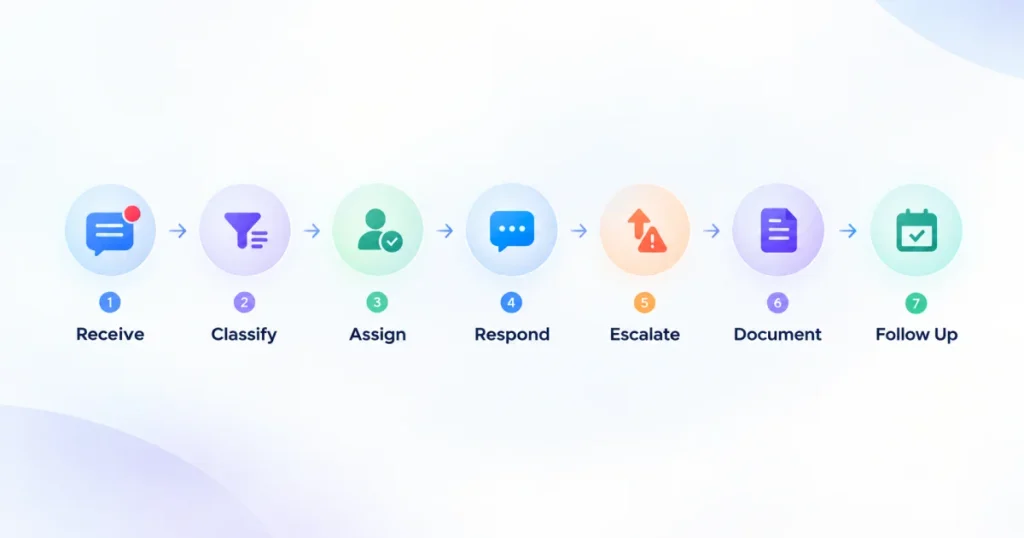
A quick look at the workflow. Several steps get a deeper section further down.
| Step | Team Question | Outcome |
| Receive | Did we see the message? | Message is visible to the whole team |
| Classify | What kind of request is this? | The right path for that message type |
| Assign | Who owns it? | One accountable person or role |
| Respond | What should we say, and how? | An appropriate, timely response |
| Escalate | Does someone else need to act? | A clear handoff, if needed |
| Document | What does the next person need to know? | Context preserved for handoffs |
| Follow Up | Is anything still outstanding? | The conversation is actually closed |
Receive Every Message in One Place
If messages come in through a personal phone, or through WhatsApp Web on one computer, only one person checks, they get missed the moment that person is busy or off shift. Every message should land somewhere the whole responsible team can see, not just whoever happens to be looking at their phone.
Classify the Message Before Responding
Before anyone replies, it helps to know what type of message it is: appointment or scheduling, general administrative, billing or insurance, care coordination, clinical, or urgent and sensitive. Classification decides who should respond and how. Part of it is a simple boundary: logistics messages may be appropriate for WhatsApp depending on your organization’s policies and safeguards, but anything involving specific clinical detail deserves more care, covered further below.
Assign Clear Conversation Ownership
Once a message is classified, it needs one clear owner. “Someone will get to it” isn’t the same as an owner, and that gap is where messages fall through the cracks. Ownership should be visible to the whole team and tied to a role, like front desk or care coordinator, so the system still works when someone is out or leaves the job.
Respond With the Right Level of Information
Administrative questions, like office hours or rescheduling, can usually follow a consistent, templated response. Clinical questions need a different kind of care and should go through whatever review your organization already requires. Templates help with routine speed, but they’re a poor substitute for judgment on anything that needs a personal, clinically informed answer.
Escalate Messages That Need More Attention
Some messages shouldn’t get a routine reply at all. Anything ambiguous, sensitive, clinical, or urgent should move into your organization’s escalation path before anyone responds, covered in more detail later in this article.
Document the Context and Handoff
When a conversation moves between staff members, whoever picks it up needs enough context to continue without asking the patient to repeat themselves. A short internal note, visible only to the team, usually solves this. These notes support handoffs and aren’t a substitute for whatever your organization requires in the patient’s formal medical record.
Follow Up Until the Conversation Is Actually Closed
A reply isn’t always the end of the task. A message might need a confirmation, a callback, input from another department, or a completed appointment before it’s genuinely resolved. Teams lose track here most often, because a sent reply feels like the finish line even when it isn’t. Every open item needs a clear owner responsible for following up.
Who Should Handle Different Patient WhatsApp Messages?
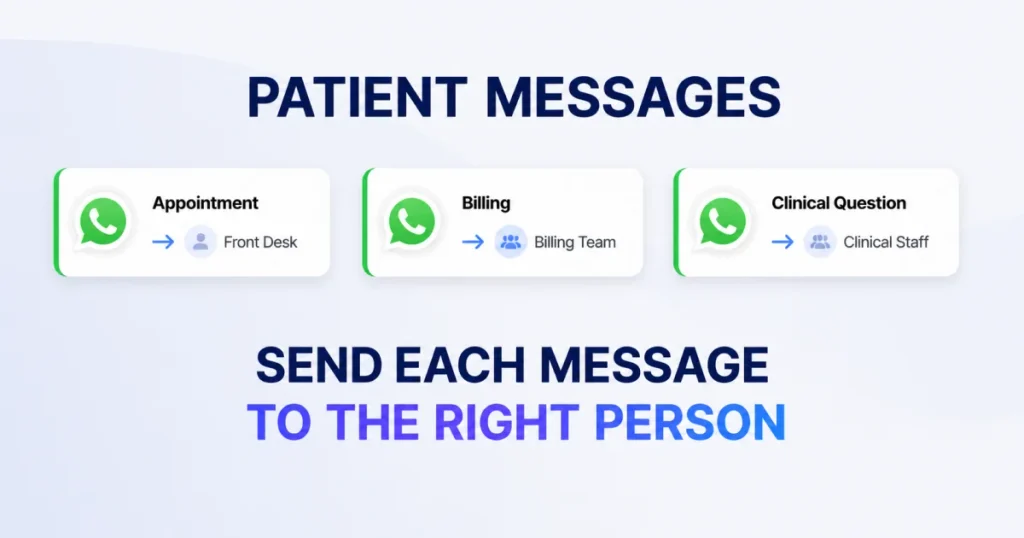
Assignment works better with a simple reference than judgment calls each time. This is a starting point; exact responsibilities vary by organization.
| Message Type | Typical Owner | When to Escalate |
| Appointment/scheduling | Front desk | Tied to a medical need or conflict |
| General administrative | Administrative staff | Rarely, unless ambiguous |
| Billing/insurance | Billing team | Disputed or tied to clinical justification |
| Care coordination | Care coordinator | Requires clinical input |
| Clinical question | Clinical staff or a designated triage role | Default to clinical review |
| Urgent/sensitive request | Designated escalation contact | Immediately, per your escalation process |
Agreeing on this in advance means responsibilities don’t have to be worked out from scratch every time a message comes in.
How to Prevent Two Staff Members From Replying to the Same Patient
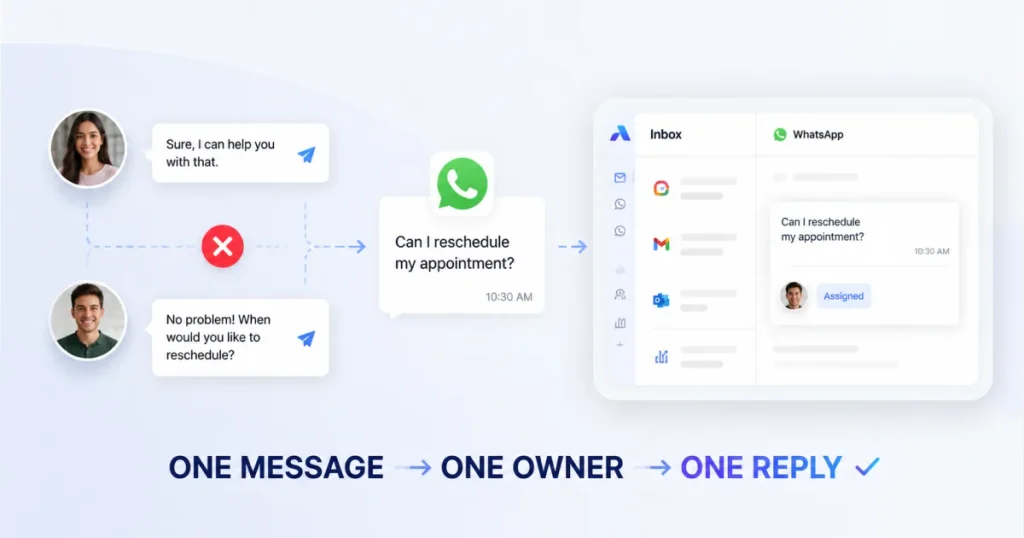
Duplicate replies are common and avoidable. They happen because several people can see the same message, nobody is clearly responsible for it, and everyone assumes someone else is already handling it. Visible ownership closes that gap: when an assignment is clear to the whole team the moment a message arrives, there’s little room for a second person to step in unnecessarily.
For example, a patient asks to move their appointment. The front desk assistant starts replying, and at the same time another staff member, unaware it’s already being handled, replies with a different time, leaving the patient with two conflicting answers. A visible assigned owner would have prevented that second reply entirely.
Tip: You can also check our previous blog regarding this topic: How Can My Team Manage One WhatsApp Number?
How Should Healthcare Teams Escalate Patient Messages?
A simple three-level framework makes escalation faster and more consistent: Routine messages are handled directly by whichever team already owns that type. Needs Review means input from another department, a care coordinator, or clinical staff before a response goes out, which fits anything ambiguous or off-pattern. Urgent/Sensitive messages follow your organization’s existing escalation or emergency communication process immediately, rather than waiting in a normal queue.
This is a communication workflow, not medical guidance, and it isn’t meant to tell staff how to judge medical urgency. It simply ensures that once something is flagged as needing more than a routine reply, there’s a clear next step. Every healthcare organization should define its own escalation policy based on its staffing and clinical protocols.
What About Patient Information and PHI on WhatsApp?
A quick note for US healthcare organizations: electronic communication with patients isn’t automatically off-limits under HIPAA. HHS has stated that the Privacy Rule allows covered providers to communicate electronically, including by email, with reasonable safeguards applied, and patients have the right to request a specific alternative communication channel, if reasonable.
What matters is the type and amount of information involved, not just the channel, which is why classification matters so much. A reasonable working principle: logistics like scheduling and follow-ups may be appropriate for WhatsApp depending on your organization’s policies and safeguards, while specific clinical detail is better moved to a channel your organization has already reviewed for that purpose.
Whether a vendor needs a signed Business Associate Agreement depends on that vendor’s actual role. HHS guidance defines a business associate as an entity that creates, receives, maintains, or transmits protected health information on behalf of a covered entity, a case-by-case determination rather than a blanket rule.
WhatsApp’s own business terms state it makes no representation that its business services meet the needs of entities with heightened confidentiality requirements, naming healthcare as an example, a signal worth weighing when deciding what belongs on the platform.
None of this is legal or medical advice. Healthcare organizations should apply the requirements specific to their own situation, involving compliance or legal counsel where needed.
Real-World Examples of Managing Patient WhatsApp Messages
Scenario 1: Appointment request. A patient asks to reschedule. It’s classified as scheduling, assigned to the front desk, answered with available times, and closed once the new appointment is confirmed.
Scenario 2: Clinical question. A patient asks if a new symptom is related to a recently prescribed medication. It’s classified as clinical and routed to clinical staff instead of an informal reply, with follow-up continuing until there’s an actual answer.
Scenario 3: Shift handoff. A staff member starts on a billing question late in the day, and their shift ends before it’s resolved. Because the conversation was assigned and a short note explains what’s already happened, the next person picks it up without making the patient repeat themselves.
How WhatsApp and Email Can Work Together for Patient Communication
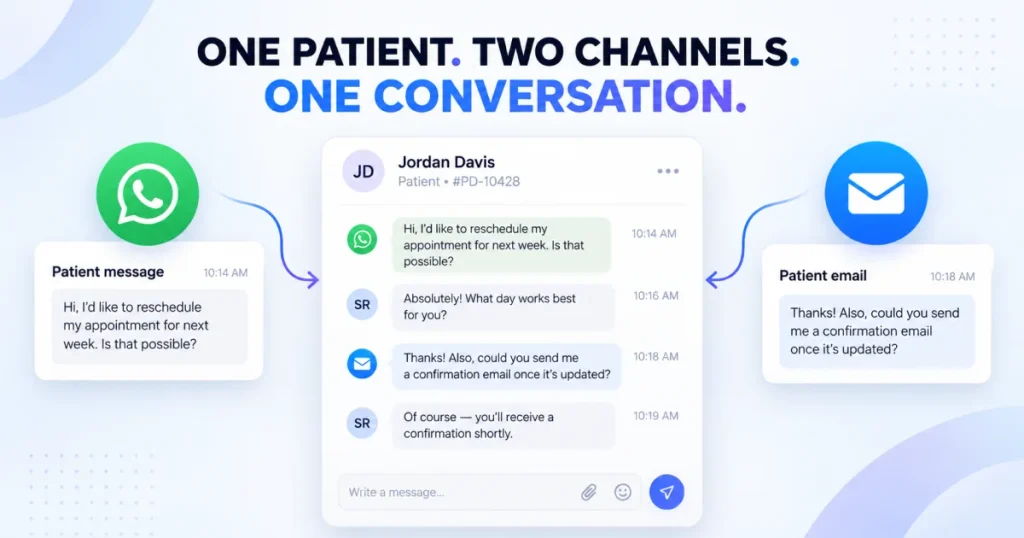
Patients don’t always stay on one channel. Someone might message on WhatsApp about a billing question, then follow up by email a few days later about the same issue. When those conversations aren’t connected, context splits, a different staff member may not realize the messages are related, and the patient often repeats information they already gave.
Keeping context together depends on WhatsApp and email living in the same workspace rather than two disconnected inboxes. Channel choice should follow your organization’s own policies, not a rule that every conversation must move somewhere specific.
What a Healthcare Team Should Look for in a Shared Inbox
Match each capability to the problem it solves, rather than comparing feature lists. Clear ownership solves the “who’s handling this” problem behind missed messages and duplicate replies. Assignment and routing turn classification into action. Internal notes solve the handoff problem, letting staff leave context the patient never sees. Conversation history keeps a fuller record together, which matters most during turnover.
Tags and filters support classification at scale. Follow-up visibility surfaces conversations that would otherwise go stale. Response-time tracking gives a team, not just an individual, a sense of overall performance. WhatsApp and email in one place address the cross-channel problem above.
None of these capabilities replace a team’s own policies and judgment; they give a team the structure to apply it consistently, and it’s worth seeing what a full feature set covering these criteria actually looks like.
How AirChannel Helps Healthcare Teams Manage Patient WhatsApp Messages
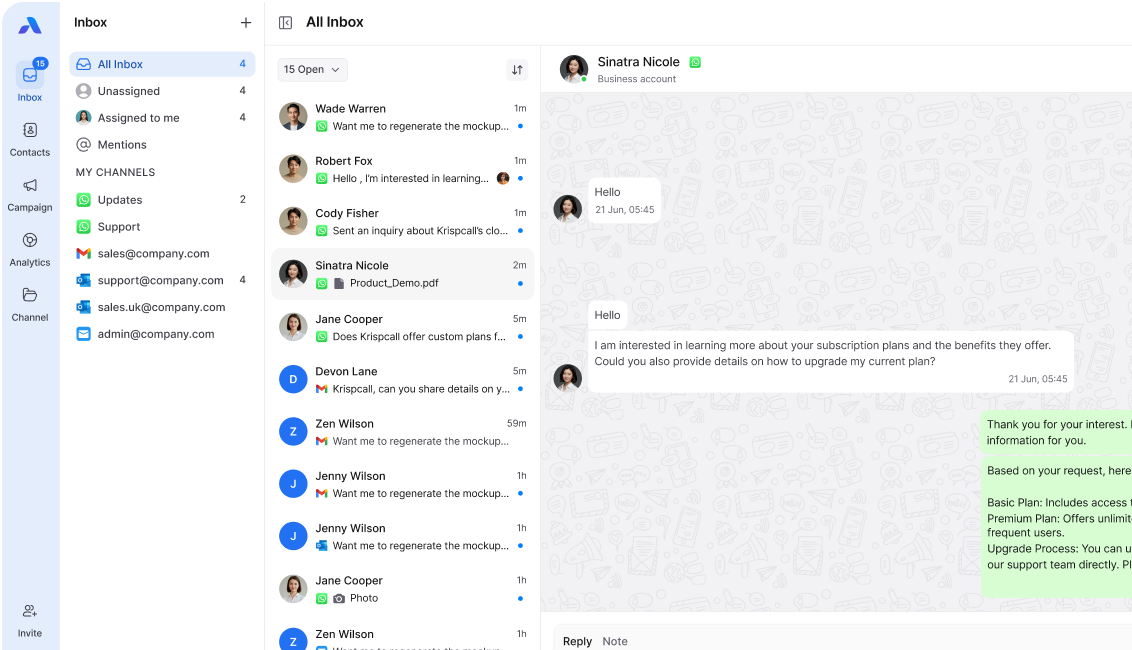
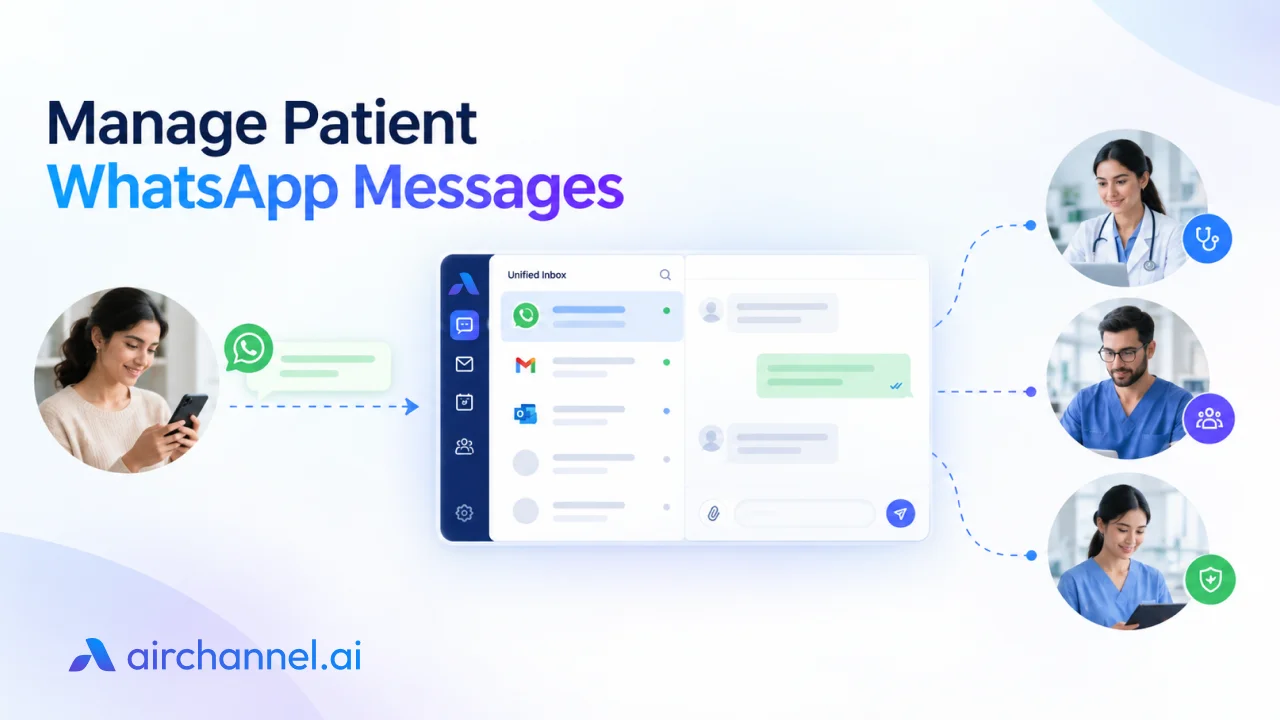
AirChannel brings WhatsApp and email conversations into one shared inbox, which directly supports the workflow above. Conversation assignment gives each message a single, visible owner, the mechanism most likely to reduce duplicate replies. Internal notes let staff add handoff context without it reaching the patient. Tags and filters help organize conversations by type, and a shared conversation history keeps WhatsApp and email context together. Real-time analytics give managers visibility into response times and workload.
AirChannel connects to WhatsApp through WhatsApp Messenger, so teams can set this up without a WhatsApp Business API integration or the setup that usually comes with one- often the difference between fixing this workflow this month and putting it off indefinitely.
If your team recognizes these problems, from duplicate replies to lost context at handoff, it’s worth seeing if a structured shared inbox fits. Join the AirChannel beta or explore AirChannel’s healthcare solution to see how it applies to your team.
Frequently Asked Questions
Can an entire healthcare team use one WhatsApp number?
Yes, but shared access alone won’t prevent missed messages or duplicate replies as volume grows; that takes assigned ownership and visibility.
How can a clinic prevent two staff members from replying to the same patient?
Assign each conversation to one visible owner so nobody has to guess whether a message is already being handled.
How should healthcare teams assign patient WhatsApp messages?
By message type and role, such as front desk for scheduling or clinical staff for clinical questions, not whoever sees the message first.
What happens to patient messages when a staff member is off shift?
Clear ownership plus a short internal note lets the next team member pick up the conversation without starting over.
Should clinical questions be handled through WhatsApp?
Administrative messages may be appropriate depending on your organization’s policies and safeguards; clinical questions should go through your organization’s normal review process instead.
How should urgent patient messages be handled?
Not with a routine reply. They should move directly into your organization’s existing escalation or emergency communication process.
What’s the difference between a shared WhatsApp number and a shared inbox?
A shared number gives multiple people access to the same conversations; a shared inbox adds ownership, assignment, and visibility on top of that access.
Can a healthcare team manage WhatsApp and email conversations together?
Yes, when both channels feed into the same conversation history, so the same patient’s messages don’t get handled separately by different staff.
Does using a shared inbox automatically make WhatsApp communication HIPAA compliant?
No. It can support good habits like clear ownership, but compliance depends on the information shared, the safeguards used, and the vendor relationship, not the inbox alone.
Conclusion
Managing patient WhatsApp messages well comes down to one idea: it’s a team workflow problem, not a messaging-app problem. Giving more staff access to the same number doesn’t fix that; a clear process does.
The seven steps- Receive, Classify, Assign, Respond, Escalate, Document, and Follow Up- give every patient message a path from arrival through response, escalation, and follow-up. Teams that follow this kind of structure tend to see clearer ownership, fewer duplicate replies, smoother handoffs, and better visibility into what’s actually happening across patient conversations.
If your team is still managing this informally, a shared inbox built around ownership and visibility, like AirChannel, can turn this framework into your team’s actual day-to-day process.
Join the beta to see how it fits your team.