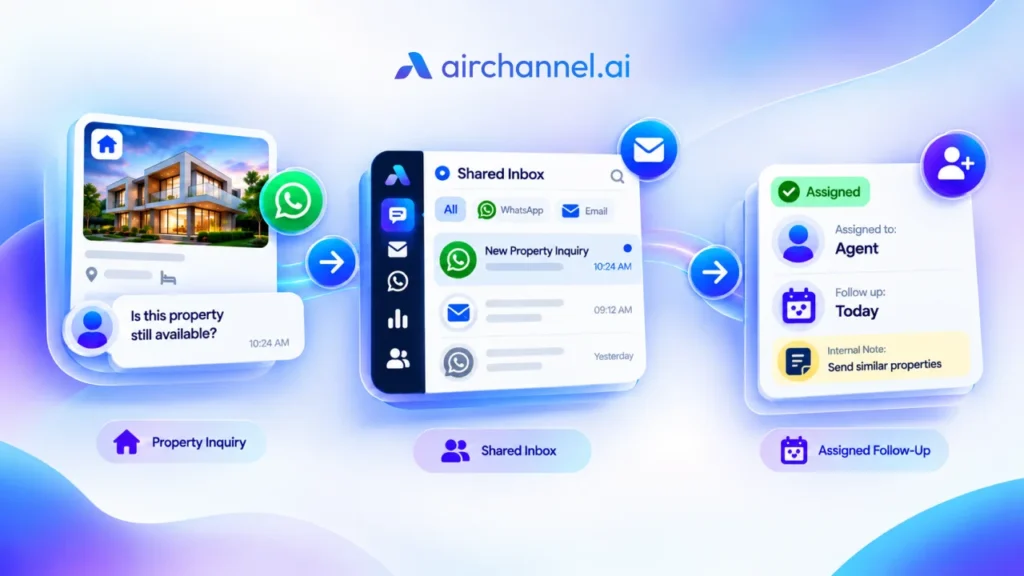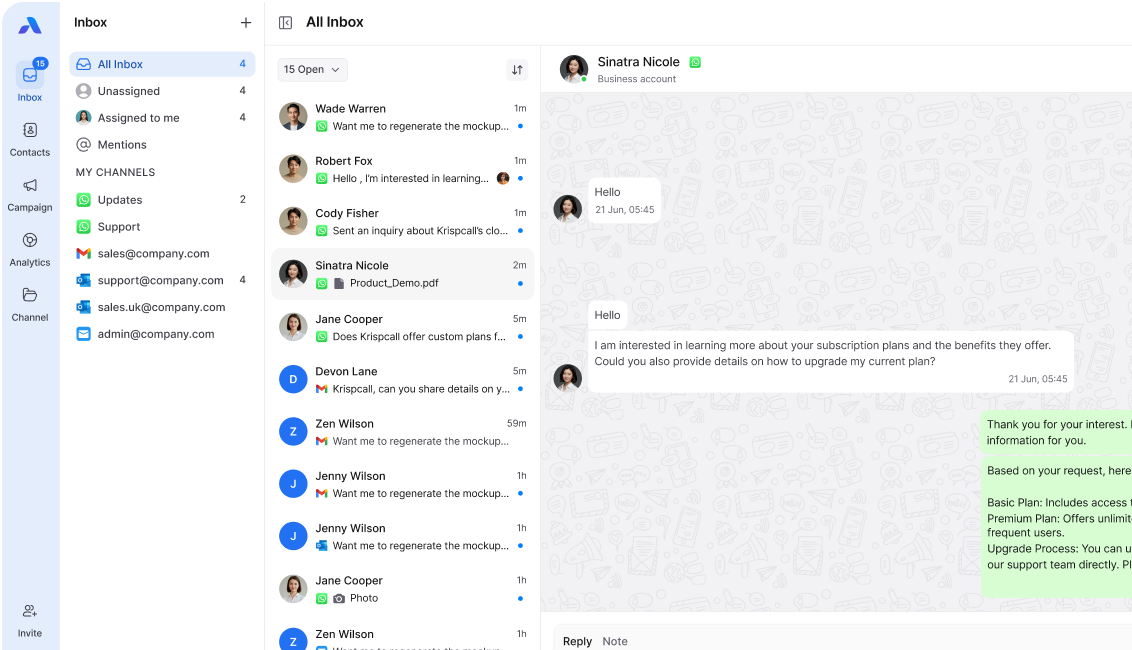
Quick Answer
A shared inbox reduces missed WhatsApp messages by giving every conversation a clear owner. Instead of one phone that many people check, each message gets assigned to a specific team member. Everyone can see who is handling what, so no chat gets forgotten or answered twice.
AI Overview Summary
- A shared WhatsApp inbox lets a team access one WhatsApp Business number from separate logins, instead of passing around one phone.
- Messages get assigned to one person, so ownership is clear, and nothing sits unanswered.
- Internal notes let teams collaborate on a customer’s message without the customer seeing it.
- Past conversations and order history stay attached to each customer, so reps do not start from zero.
- Managers can track response times, which improves accountability and catches problems early.
- Businesses that switch typically see fewer missed messages, faster replies, and higher lead conversion.
A customer sends your business a WhatsApp message. Ten minutes later, they are still waiting.
Two hours later, someone on your team finally checks the phone. “I thought you replied,” they say. Nobody did.
This happens more often than most businesses admit. It is rarely a sign that your team does not care. It usually means nobody actually owns the conversation, and this article shows exactly how a shared inbox fixes that, using one real conversation as an example from start to finish.
If you want the backstory first, read why businesses lose WhatsApp leads and why customer messages get lost. This article picks up where those leave off, and shows what changes once you stop missing customer inquiries altogether.
Why WhatsApp Messages Still Get Missed
Most businesses start with WhatsApp Business on a single phone. One person checks it. That works fine when message volume is low.
Growth changes everything, though. More customers means more messages, and one phone can only hold so much attention.
Here is what typically goes wrong as a team grows:
- A support agent replies to something a teammate already handled
- Nobody replies at all, because everyone assumes someone else will
- Notifications get missed during busy hours
- New messages bury older ones before anyone sees them
- Two people see the same message, and both wait for the other to respond
Platforms like AirChannel organize conversations so this does not happen, but before we get there, it helps to understand exactly what a shared inbox is doing differently.
What Is a Shared WhatsApp Inbox?
A shared WhatsApp inbox is a tool that lets your whole team access one WhatsApp Business number from separate logins. Instead of one phone passed around, everyone works from their own screen.
Every conversation appears in one place. Team members can see who replied last, who is currently handling a chat, and what was already said.
This is different from just adding more people to check the same phone. A WhatsApp Team Inbox organizes conversations so the right person handles the right customer, every time.
The WhatsApp Ownership Loop
Here is the part most articles skip. A shared inbox does not just store messages. It moves every conversation through five stages, and understanding these stages is the real difference-maker.
Receive → Assign → Collaborate → Resolve → Review
Here is what happens at each stage:
- Receive: the message enters the system, not just someone’s personal notifications
- Assign: it gets handed to a specific person, so there is no guessing about ownership
- Collaborate: the assigned person loops in teammates using internal notes, pulling in finance, support, or a manager if needed
- Resolve: the conversation gets marked complete once the customer has what they need
- Review: a manager or the rep checks whether the response was fast enough and whether anything was missed
Most teams handle the first three stages fine. Review is the one almost everyone skips, and skipping it is exactly why small problems repeat.
Keep this loop in mind. We will come back to it throughout the rest of this article.
Follow One Customer Conversation
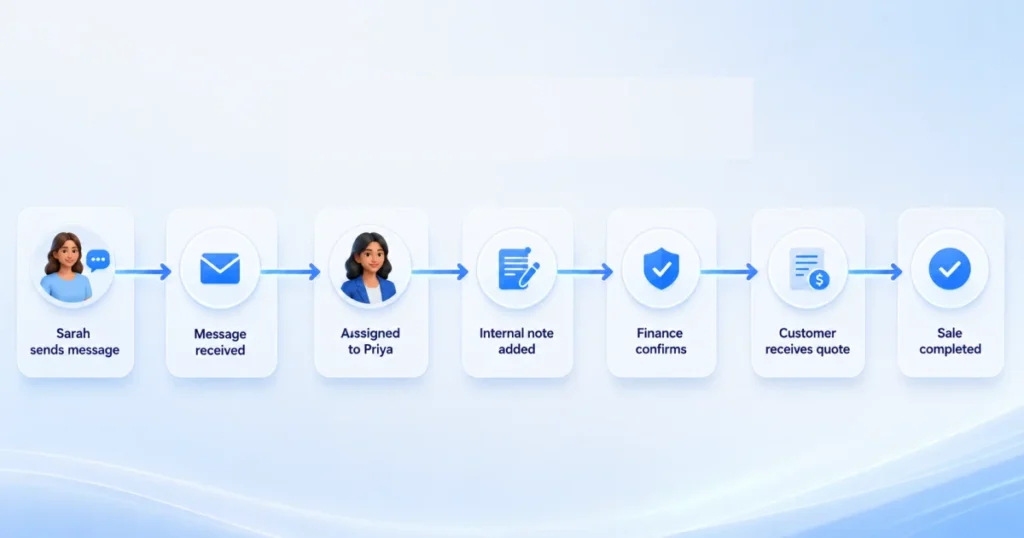
Let’s watch the Ownership Loop play out with a real scenario. Meet Sarah. She runs a small business and wants to know pricing before she buys.
Without a Shared Inbox
Sarah sends a WhatsApp message on a Tuesday afternoon, asking about pricing for a bulk order. The message lands on the shared company phone, where three people have access but nobody owns it.
Each person assumes a colleague already saw it. By Thursday, nobody has replied, and Sarah has already messaged two competitors and picked one of them. Your team never even knew they lost her.
Notice what broke down here. The message was never truly received by anyone specific, so it could not move to assign, and the loop never started.
With a Shared Inbox
Sarah sends the same message. This time, the system receives it and immediately assigns it to Priya, the sales rep on duty.
Priya gets a notification right away and sees Sarah’s past order history in the same conversation window, so she does not need to ask basic questions again. She replies within ten minutes.
Then she moves into the collaborate stage. Priya adds an internal note for the finance team, asking them to confirm the bulk discount, and finance replies inside the same thread. Priya sends Sarah a full quote before the end of the day, marking the conversation resolved.
Business Outcome
Sarah gets a fast, informed answer, and she feels like she is talking to one team, not one overworked phone. That single conversation results in a sale.
More importantly, it becomes routine instead of a lucky exception, because the Ownership Loop ran the way it was supposed to.
A Simple Ownership Rule
Want a rule your team can start using today, without buying any new software? Every incoming WhatsApp conversation should have three things.
- One owner: a single person responsible for the reply
- One backup: someone who steps in if the owner is unavailable
- One status: a label like New, In Progress, Waiting on Customer, or Resolved
This is the entire idea behind conversation assignment, stripped down to its simplest form. You do not need a tool to start applying it, but a tool makes it much easier to enforce across a growing team.
How Managers Keep Track of Conversations
Agents are not the only ones affected by missed messages. Managers carry a different kind of pressure, and their concerns rarely make it into articles about this topic.
Without a shared inbox, a manager is stuck guessing. They might scroll through a shared phone, hoping to spot problems, which is not a real system.
A shared inbox replaces that guesswork with a dashboard view. Managers can typically see:
- Average response time, by team or by individual
- Workload per agent, so nobody is quietly overloaded
- Conversations that have sat open too long
- Where bottlenecks are forming, often before a customer notices a delay
This matters for a simple reason. A manager who can see the review stage of the Ownership Loop can fix problems early, instead of finding out about them after a customer has already left.
Traditional WhatsApp vs. Shared Inbox
Here is a simple comparison of what changes when a team moves from a single shared phone to a shared inbox setup.
| Traditional WhatsApp | Shared Inbox |
| One phone, one login | Multiple team logins, one number |
| No clear message ownership | Each chat assigned to one person |
| No internal notes | Internal notes for team collaboration |
| Hard to track response times | Response times visible to managers |
| Messages get missed during busy hours | Assigned conversations reduce missed replies |
| No conversation history for new reps | Full context saved per customer |
This is not about replacing WhatsApp. It is about running every message through a loop instead of hoping someone notices it.
Business Benefits by Department
The Sarah example is not unusual, and different departments feel the benefit in different ways.
Sales teams use the Ownership Loop to make sure hot leads get a response within minutes, not days. A rep can see exactly which leads are waiting and act before a competitor does.
Support teams use it to track open issues and prevent tickets from going stale. If a customer reports a problem on Monday, nobody has to dig through old chats to find it again on Friday.
Founder-led businesses often use it just to get WhatsApp off one overwhelmed person’s phone. A founder juggling sales, support, and daily operations cannot realistically monitor every message alone, and a shared inbox lets them bring in help without losing track of any conversation.
The Conversation Handoff Template
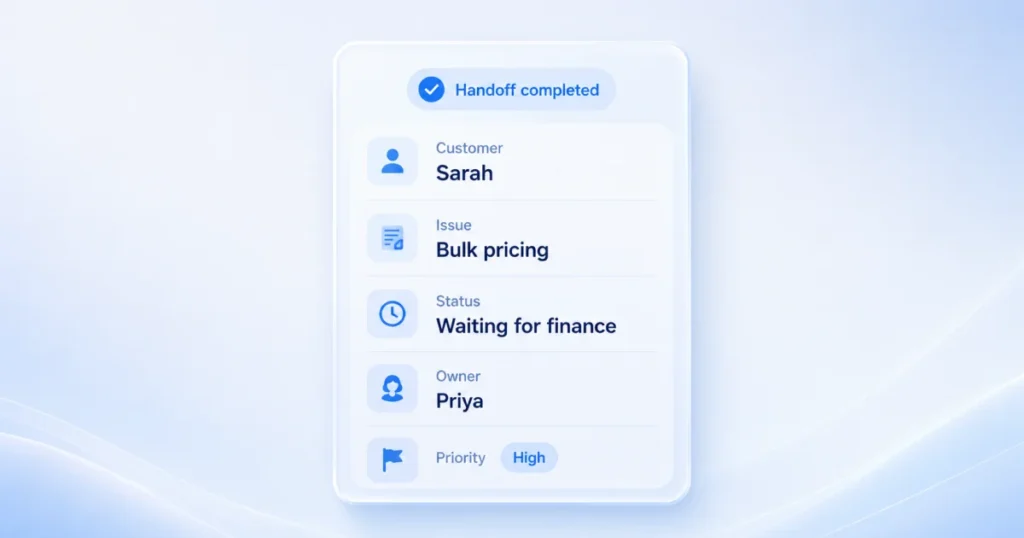
Remember Priya’s internal note to the finance team? That note is what kept the loop moving instead of stalling at the collaborate stage.
Here is a simple template your team can copy and use inside any shared inbox, right in the internal notes field.
CONVERSATION HANDOFF
Customer: [Name]
What they asked for: [One line summary]
What’s already been said: [Key points only, no full history]
What’s needed next: [Specific action]
Who owns this now: [Name]
Priority: [Urgent / Normal / Low]
A handoff note is not meant to retell the whole conversation. It only needs enough detail so the next person can act without asking the customer to repeat themselves.
Fill this out the next time you pass a WhatsApp conversation to a teammate, and watch what happens. Handoffs get faster, and fewer details get lost along the way.
Signs Your Team Has Outgrown Regular WhatsApp
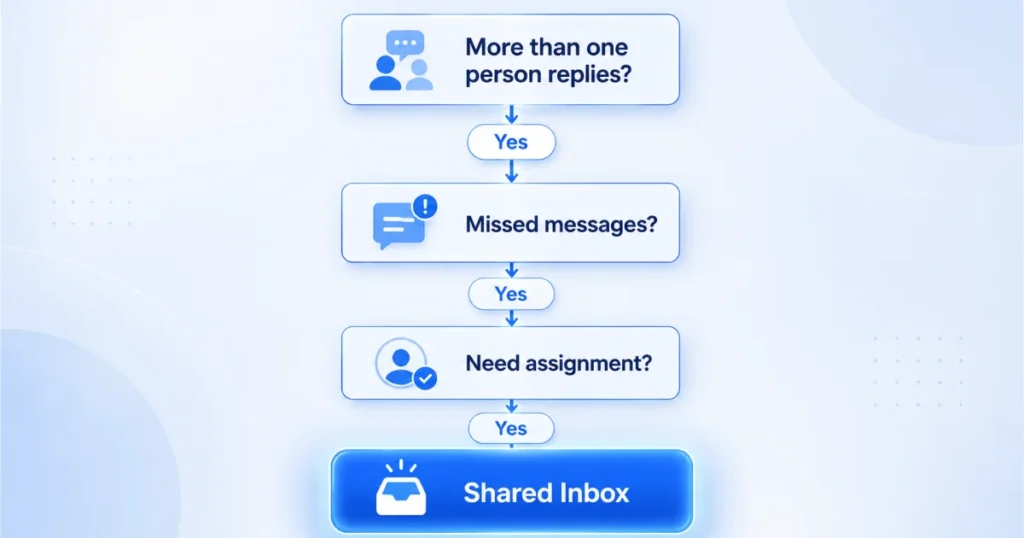
Not every business needs a shared inbox right away. Here are signs it might be time.
- More than one person needs to reply to customers
- You have missed messages you only noticed days later
- Team members ask “did anyone reply to this?” often
- You cannot tell who is handling which conversation
- Customers repeat information they already gave you
- You have no way to measure response times
If two or more of these sound familiar, regular WhatsApp is probably costing you more than it is saving.
Is Your Business Ready for a Shared Inbox?
Not sure where you stand? Use this as a rough guide.
- Just one person handling messages? Regular WhatsApp Business is likely still fine.
- Two or three people replying to customers? A shared inbox will save you real time and prevent overlap.
- Sales and support both messaging customers? A Unified Inbox that combines WhatsApp, email, and other channels will serve you better than a WhatsApp-only tool.
There is no rush to upgrade before you need to. The goal is matching the tool to how your team already works, not the other way around.
Common Mistakes Even With a Shared Inbox
Buying a shared inbox does not automatically fix everything. A few mistakes show up often, even after teams switch.
Skipping the backup owner. Assigning one person to every conversation is good, but if that person is out sick, conversations can still stall without a backup in place.
Writing handoff notes that are too long. A note that retells the entire conversation defeats the purpose. Keep it short, using a template like the one above.
Never checking the review stage. Teams often set up assignment and collaboration, then forget to actually look at response times. Skipping this step means small problems can quietly grow into bigger ones.
Treating it as “set and forget.” A shared inbox is a workflow, not a one-time setup. It works best when a manager checks in on it regularly, the same way they would review any other part of the business.
What to Look for in a Shared Inbox
Not all shared inbox tools work the same way. When evaluating options, focus on a few essentials:
- Real conversation assignment, not just shared access. A tool should let you assign chats to specific people, not just let everyone see the same inbox.
- Internal notes, so your team can talk about a customer without the customer seeing it.
- Saved context per customer, so history and notes stay attached to the conversation instead of scattered across separate tools.
- Multi-channel support, since many businesses eventually need email, SMS, and social messages in one place, not just WhatsApp.
A common mistake is choosing a tool based on price alone, then finding out it cannot actually assign conversations or keep notes private from customers. Test the assignment and internal notes features before you commit to a plan.
If you want a side-by-side look at your options, our guide to the best shared inbox software breaks down how different tools compare.
AirChannel.ai is one option built around this exact workflow, combining a Shared Email Inbox, WhatsApp, and other channels into one shared inbox. You can read more on How It Works if you want the technical details.
Meta’s own WhatsApp Business documentation is also a good reference point for understanding what the platform supports natively, since not every shared inbox tool integrates the same way.
Final Thoughts
Your customers do not know how your team works behind the scenes. They only know whether someone replied.
A shared inbox does not make your team faster overnight. What it does is make sure every conversation runs through the Ownership Loop, so it belongs to someone from the first message to the last.
Want to keep learning about this topic? Our pillar guide on preventing lost customer messages covers the bigger picture, and our next article breaks down AirChannel vs traditional shared inboxes in more detail.
Ready to Stop Missing WhatsApp Messages?
If you recognized your own team somewhere in Sarah’s story, you are not alone. Most businesses do not realize how many messages slip through until they start counting.
AirChannel.ai brings WhatsApp, email, and other channels into one shared inbox, with clear conversation assignment and internal notes built in. You can see who owns each chat, what has already been said, and where things stand, all in one place.
There is no pressure to switch everything overnight. Start by looking at how AirChannel.ai handles conversation ownership, and decide from there whether it fits how your team works.
Frequently Asked Questions
What is a shared inbox for WhatsApp?
A tool that lets your whole team access and reply to one WhatsApp Business number from separate logins, with every conversation visible to everyone.
Can multiple people use one WhatsApp Business account?
Not through the app alone. You need a shared inbox tool connected to the WhatsApp Business API for multiple people to log in at once.
How is a shared inbox different from the WhatsApp Business App?
The app is built for one person on one device. A shared inbox adds assignment, internal notes, and reporting on top of WhatsApp for a whole team.
Does a shared inbox work for small teams?
Yes, even for teams of two or three. Solo operators with low message volume usually do not need one yet.
What is conversation assignment?
Assigning every incoming message to one specific person, so it always has a clear owner.
Is switching to a shared inbox complicated?
No. Most tools connect to your existing WhatsApp number without disruption; the main adjustment is team habits, not technical setup.