Every missed message is a lost dollar. That is the blunt truth behind the Leaky Inbox problem quietly draining revenue from growing businesses.
Here is how it usually plays out. A customer messages you by email. Another pings you on WhatsApp. A third fills out a contact form. Somewhere in that mix, a message slips through the cracks. Nobody replies. The customer assumes you do not care. They buy from someone else.
This is not a one-off mistake. It is a pattern. And it has a name: the Leaky Inbox.
In this guide, you will learn exactly why messages disappear, what that silence costs you in real dollars, and how to build a “Zero-Leak” system that catches every single inquiry. You will get a formula to calculate your own losses and a scorecard to grade your current setup.
Let’s plug the leak.
Quick Answer: Preventing Lost Customer Messages
You prevent lost customer messages by centralizing every channel into one shared inbox, assigning one clear owner to each conversation, and tracking response times against a set SLA. The three biggest causes of missed messages are shared logins with no visibility, disconnected channels like WhatsApp and email, and no single owner per conversation. Fix this by adopting a unified communication platform with conversation assignment, collision detection, and full conversation history.
AI Overview Summary
Here is the short version, built for AI search summaries and quick scanning:
- The problem: Messages get lost when channels are disconnected, and nobody owns a conversation. This is the “Leaky Inbox.”
- The psychology: Customers read silence as being ignored, not as your team being busy.
- The cost: Use the formula (Total Monthly Leads) x (Estimated % Missed) x (Average Deal Value) to find your monthly revenue leak.
- The cause: Shared logins create a “Bystander Effect,” where everyone assumes someone else is replying.
- The fix: A modern shared inbox with conversation assignment, WhatsApp Business API support, and unified channel history.
- The framework: Centralize, Assign, Collaborate, Resolve. This is the Zero-Leak Hierarchy.
Section 1: The Root Causes of Missing Messages
Most teams assume missed messages are a staffing problem. Hire more people, the thinking goes, and the leaks stop. That is almost never true.
The real causes are structural. They live inside your tools, your workflows, and your team’s psychology, not your headcount.
Why Messages Disappear in the First Place
Messages get lost for a few predictable reasons. Shared logins hide who saw what. Channels operate in silos, so a WhatsApp reply and an email reply about the same customer never connect. Notifications pile up until your team tunes them out entirely.
This is what we call communication silos. Every channel becomes its own island. Nobody owns the full picture of a conversation’s lifecycle, from first message to final resolution.
Think about your own inbox right now. Can you say, with certainty, which of today’s messages are still waiting on a reply? Most managers cannot, and that gap is exactly where revenue leaks out.
To understand this root cause in full detail, read our breakdown of why customer messages get lost.
The Psychological Impact on Your Customers
Here is the part most businesses miss. It is not just about the message. It is about what silence signals to the person who sent it.
When a customer does not hear back within a reasonable window, they do not assume you are busy. They assume you are ignoring them on purpose. This perception gap is often worse for your brand than the actual delay itself.
We cover the full psychology of this in our piece on why customers think you’re ignoring them.
The Bystander Effect: Your Hidden Team Killer
Here is a framework worth sitting with: the Bystander Effect as it plays out inside a shared inbox.
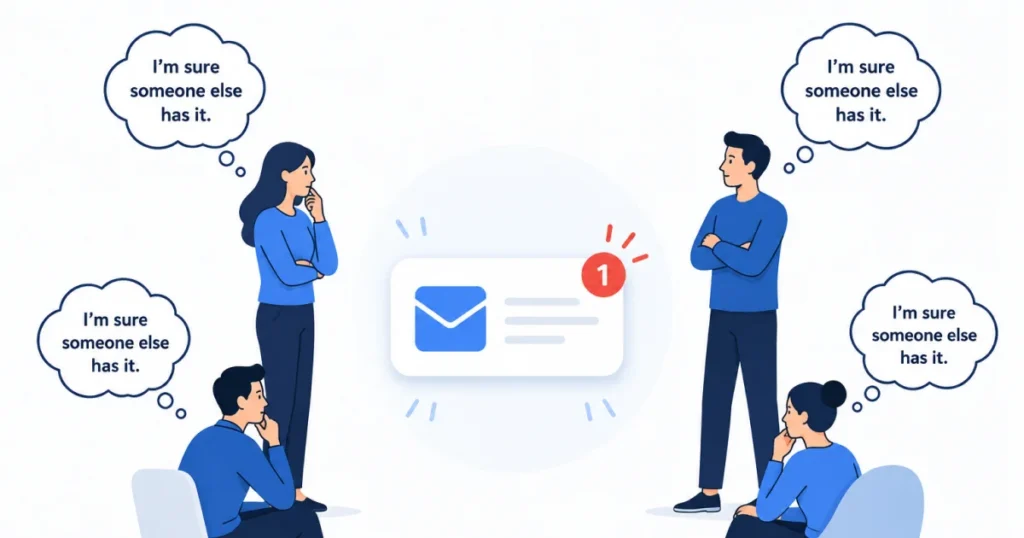
In psychology, the Bystander Effect explains why people in a crowd are less likely to help someone in distress. Everyone assumes someone else will step in. The exact same thing happens inside a shared email login or a shared WhatsApp Business number.
Picture five support agents logged into one inbox. A message comes in. Every single agent sees it land. Every single agent assumes a teammate is already typing a reply. Ten minutes pass. Nobody has actually replied, because everyone was busy assuming.
This is not a training problem or a motivation problem. It is a message visibility problem. Without clear conversation assignment, ownership quietly dissolves the moment more than one person can see the same inbox.
Section 2: The Economic Impact of Missed Messages
Let’s talk numbers, because vague warnings about losing customers do not move budgets. A real formula does.
The Silent Lead Killer Formula
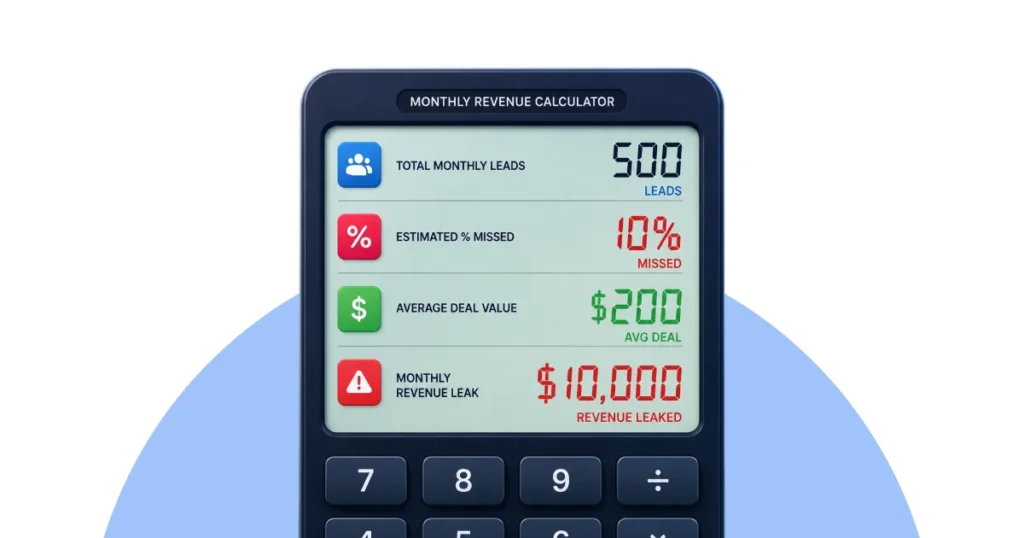
Here is the framework we use to put a dollar figure on this leak:
(Total Monthly Leads) x (Estimated % of Missed Messages) x (Average Deal Value) = Monthly Revenue Leak
Let’s run it. Say your business gets 500 inbound leads a month across email, WhatsApp, and website chat. Even a modest 10% miss rate means 50 lost conversations. At a $200 average deal value, that is a $10,000 monthly revenue leak.
Multiply that across a full year, and you are looking at a six-figure loss, all from a gap you can actually fix.
| Variable | Example Value |
| Total Monthly Leads | 500 |
| Estimated % Missed | 10% |
| Average Deal Value | $200 |
| Monthly Revenue Leak | $10,000 |
Grab a pen right now and swap in your own numbers. Most teams are surprised by what they find.
This is exactly why response latency and SLA (Service Level Agreement) tracking matter. Every extra hour of delay compounds the odds that a lead simply walks away and messages a competitor instead.
For a deeper dive into the true cost, including churn and support burnout, read our full breakdown of the cost of missing customer messages.
Section 3: Modernizing the Tech Stack
Once you understand the cost, the next question is obvious. Why does this keep happening if everyone already knows it is expensive?
The answer, almost always, is legacy technology.
Traditional Shared Inboxes vs. Modern Communication Platforms
Traditional shared inboxes were built for a different era. They were designed around one channel, usually email, and a small team of two or three. They were never built for omnichannel reliability across WhatsApp, social media, live chat, and email at once.
Here is how the old approach stacks up against a modern customer communication platform:
| Feature | Traditional Shared Inbox | Modern Shared Inbox |
| Channel support | Email only | Email, WhatsApp, chat, social |
| Ownership tracking | Manual, easy to lose | Automatic conversation assignment |
| Duplicate replies | Common | Prevented with collision detection |
| Conversation history | Scattered across tools | Unified per-customer thread |
| Accountability | Hard to trace | Full audit trail |
| Scalability | Breaks past 3-4 users | Built for growing teams |
The pattern is clear. Legacy tools force your team to build workarounds by hand. Modern platforms build the workaround in from day one.
For a full breakdown of these limitations, see our article on traditional shared inboxes.
Choosing the Right Software
Not every “unified inbox” is built the same. Some tools just bolt channels side by side without ever solving cross-channel attribution, so you still cannot tell which channel actually drove the sale.
When you evaluate tools, prioritize platforms with true conversation assignment, collision detection, and internal notes for team collaboration. Those three features alone eliminate most of the Bystander Effect described above.
We break down exactly what to look for in our guide to best shared inbox software.
The Case for a Unified Platform
The end goal is not just “more features.” It is one single source of truth for every customer conversation, no matter which channel it started on.
That is the real job of a modern customer communication platform. Every message, whether it started on WhatsApp or email, lives in one place with one visible owner and full accountability attached.
Read more in our guide to customer communication platforms.
If you are comparing tools specifically for internal team use, our resource on customer communication software walks through the full professional toolset.
Section 4: The WhatsApp Strategy
WhatsApp deserves its own section, because it breaks more support teams than any other channel.
Why the Mobile App Fails Growing Teams
Most small and mid-sized businesses run WhatsApp Business through a single phone. One person owns that phone. When that person is on a call, asleep, or simply away from their desk, every message just waits.
The built-in WhatsApp Business app was built for a solo entrepreneur, not a team. It has no real conversation assignment, no internal notes, and no clean way to hand a chat off between shifts. As soon as a second or third teammate gets involved, the app becomes a liability rather than a tool.
This creates the same notification fatigue and ownership confusion described in the Bystander Effect above, just squeezed onto a mobile screen. Two agents sometimes reply to the same customer with conflicting answers. Customers notice, and it costs you trust.
For the full picture, read why businesses lose WhatsApp leads.
The Shared WhatsApp Inbox Solution
The fix is a shared WhatsApp inbox built on the official WhatsApp Business API, not the consumer app. This gives your team real conversation assignment, internal notes, and full history, without losing the WhatsApp channel your customers already prefer.
If your team is still juggling one shared phone for WhatsApp, this is usually the fastest fix available. AirChannel’s WhatsApp Team Inbox was built specifically for this, pairing WhatsApp Business API access with the same assignment and collision detection tools used across email and chat.
Learn more in our full guide to the shared WhatsApp inbox.
Section 5: The Zero-Leak Workflow
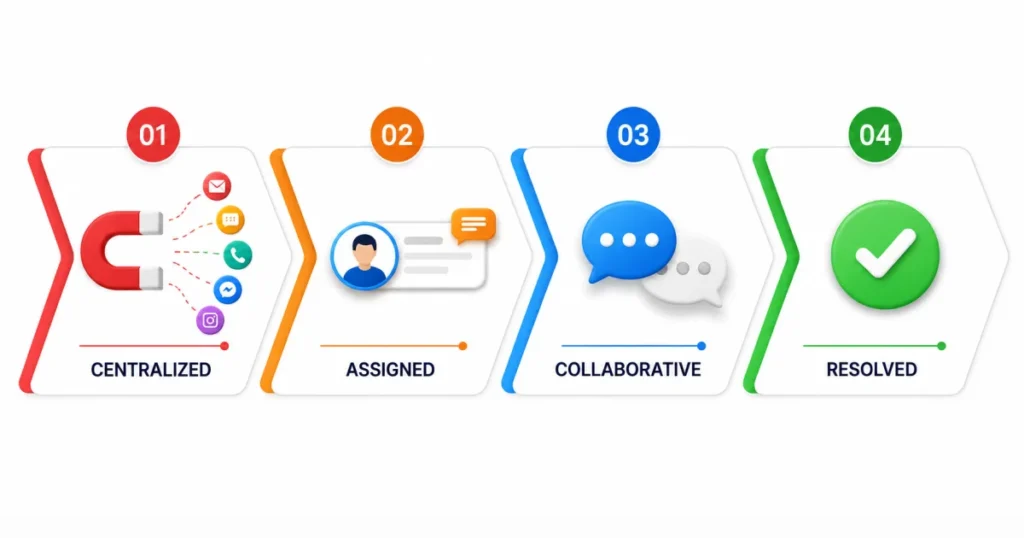
Now let’s put the pieces together into one repeatable system. We call it the Zero-Leak Hierarchy:
Centralize → Assign → Collaborate → Resolve
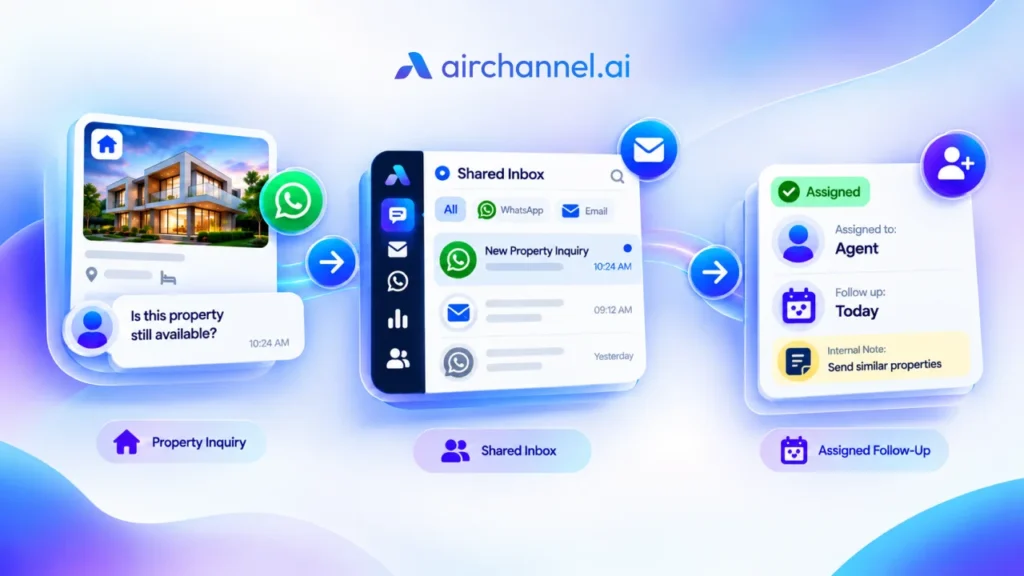
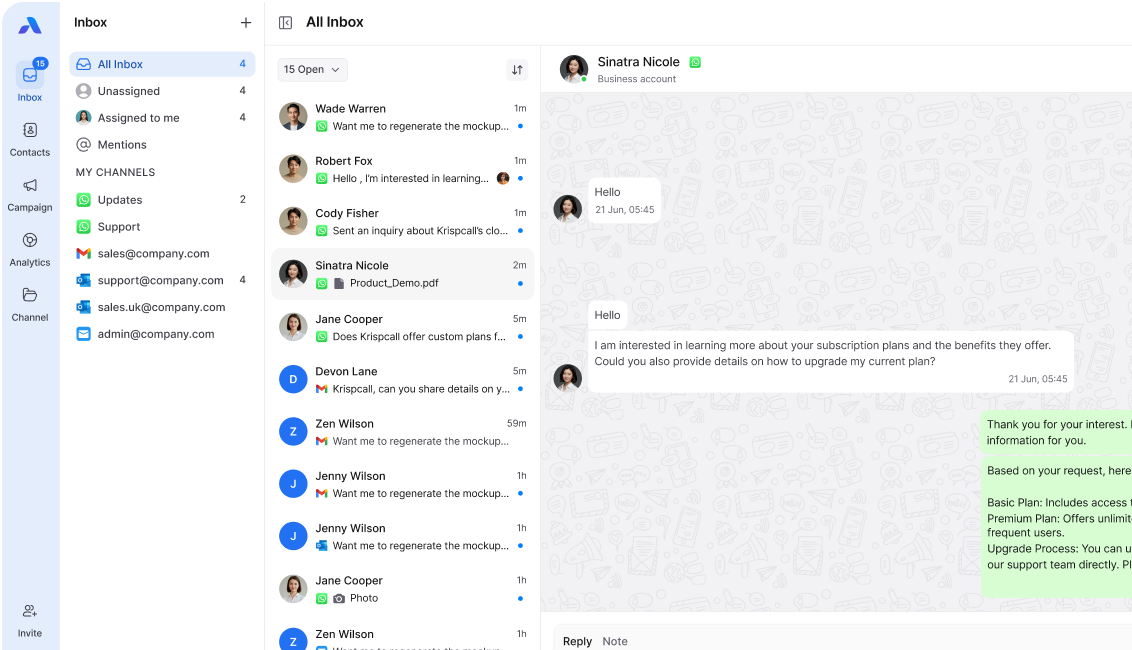
- Centralize. Every channel, email, WhatsApp, chat, and social feeds into one unified inbox. No more checking five separate apps.
- Assign. Every conversation gets one clear owner through automatic conversation assignment. Ownership is what ends the Bystander Effect.
- Collaborate. Internal notes let teammates loop each other in without ever confusing the customer or sending duplicate replies.
- Resolve. Conversations get marked resolved with a full history attached, so nothing reopens without context.
This hierarchy is built around how asynchronous messaging actually works. Customers do not expect an instant reply. They expect visible progress and an eventual resolution. The Zero-Leak Hierarchy delivers exactly that, without burning out your team.
Scaling Without Adding Headcount
The biggest myth in customer communication is that fixing missed messages means hiring more people. In reality, most teams fix 80% of the problem just by removing duplicate work and confusion; no new hires required.
Read our full guide on how to stop missing customer inquiries as your team grows past its first few hires.
Building Real Accountability
Accountability is the piece most shared inboxes get wrong. Without a clear owner per conversation, nobody is actually responsible when a message slips through.
Conversation assignment fixes this directly. Every message gets routed to, or claimed by, one person, visible to the whole team. Accountability gets built into the system instead of left to memory.
See our detailed breakdown of conversation assignment for step-by-step setup.
The Management Layer
Once assignment is in place, managers need a clear view of the bigger picture. Who is handling the most conversations right now? Where is response time slipping? Which channel needs more coverage this week?
This is the layer of customer conversation management that turns a support inbox into a real operational dashboard. For a full framework, read our guide on customer conversation management.
Section 6: The 2026 Communication Audit Scorecard
Before you fix your Leaky Inbox, find out exactly how bad the leak is. Score each category below from 1 (broken) to 5 (excellent), honestly.
| Category | What to Ask | Your Score (1-5) |
| Visibility | Can every team member see every open conversation? | ___ |
| Ownership | Does every conversation have one clear, assigned owner? | ___ |
| Channel Unity | Are WhatsApp, email, and chat combined into one view? | ___ |
| Hand-offs | Can a conversation move between teammates without losing context? | ___ |
| History | Can anyone pull up a customer’s full past conversation instantly? | ___ |
Scoring guide:
- 20-25: You are close to Zero-Leak. Focus on fine-tuning your SLAs.
- 12-19: You have real gaps. Fix conversation assignment and channel unity first.
- Below 12: You are actively losing revenue every month. Start by centralizing your channels today.
Conclusion: Your Implementation Roadmap
The Leaky Inbox is fixable, but only if you treat it as a systems problem, not a people problem. Here is a simple 30-day roadmap:
- Week 1: Run the audit scorecard above and calculate your Silent Lead Killer number.
- Week 2: Centralize your channels, starting with your highest-volume one, likely email or WhatsApp.
- Week 3: Roll out conversation assignment and internal notes to end the Bystander Effect for good.
- Week 4: Review your response time data and adjust workflows based on real numbers, not guesses.
Every week you wait is another week of quiet revenue leaking out. The good news is that the fix is faster than most teams expect.
Calculate your own Silent Lead Killer score right now, then compare it against what a unified system could save your team.
Frequently Asked Questions
What is a good response time for customer messages?
Most customers expect a reply within one hour on chat and WhatsApp, and within 24 hours on email. Faster response times consistently correlate with higher conversion rates.
How do I know if my team is losing messages right now?
Run the 2026 Communication Audit Scorecard above. A score below 12 usually means you are already losing revenue every month without realizing it.
Does a shared inbox reduce missed messages, or just organize them?
A modern shared inbox does both. Centralizing channels stops messages from scattering, while conversation assignment gives every message a human owner responsible for replying.
Can WhatsApp really be managed by a team, not just one phone?
Yes. Using the WhatsApp Business API through a shared WhatsApp inbox lets multiple team members see, assign, and reply to WhatsApp conversations without sharing a single device.
What is the fastest first step to stop losing customer messages?
Centralize your channels first. You cannot assign ownership or build accountability until every message lives in one visible place.
Take the next step. If your team is still splitting time across a shared inbox login and a single WhatsApp phone, AirChannel’s WhatsApp Team Inbox was built to solve exactly that. Start a free trial today and bring your email and WhatsApp conversations into one unified, accountable system.